
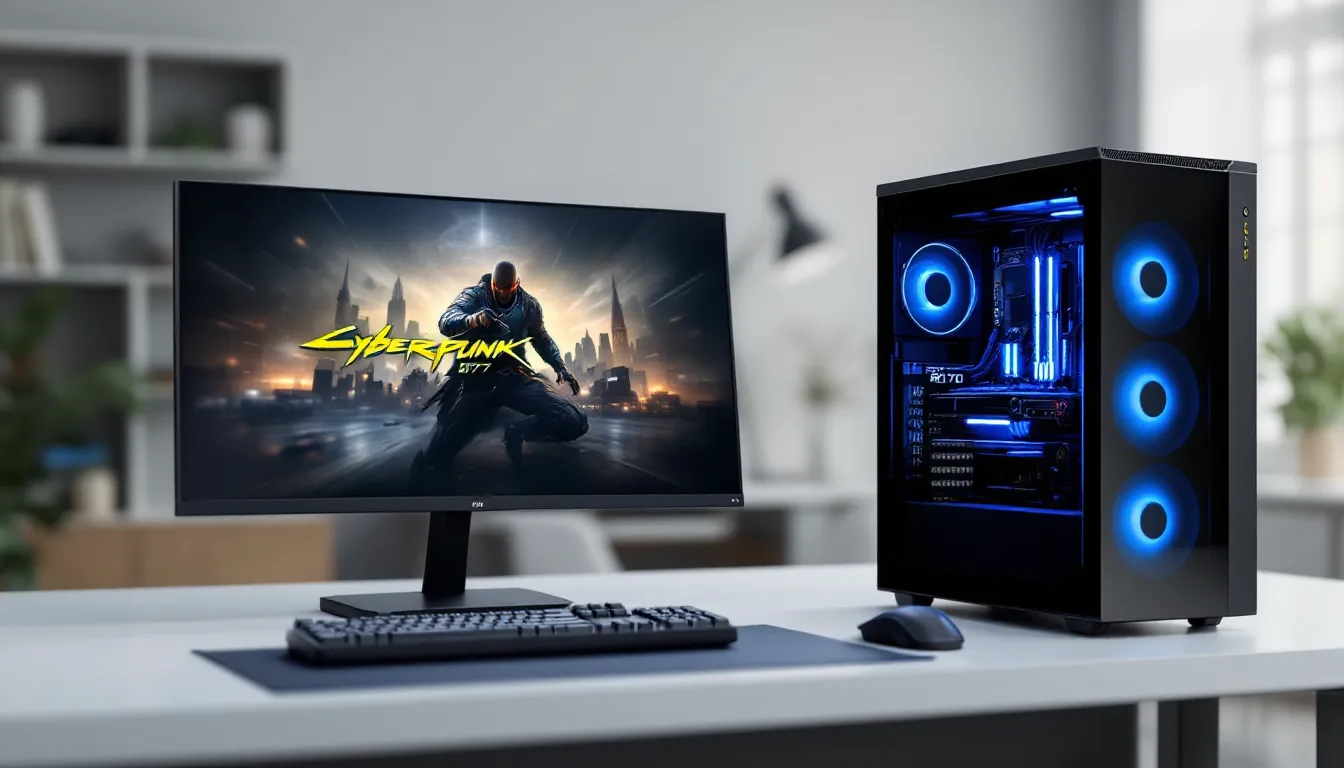
If you’re hunting for a gaming PC that can handle modern AAA titles at 1440p without emptying your wallet, the Skytech Blaze II has landed on a lot of radars. This mid-range pre-built system promises solid frame rates, reliable thermals, and enough upgrade room to keep pace as new games push the boundaries. But does it actually deliver, or is it just another overhyped chassis? Let’s dig into the specs, real-world performance, and whether this machine is worth your money in 2026.
Table of Contents
ToggleKey Takeaways
- The Skytech Blaze II delivers consistent 80+ FPS in modern AAA titles at 1440p, making it an excellent value-driven mid-tier pre-built for gamers seeking solid performance without custom building.
- With an RTX 4070 and i7-13700K, this gaming PC excels in both competitive esports (150–300+ FPS) and 1440p single-player games, removing hardware as a limiting factor for performance.
- Priced between $1,400–$1,800 USD, the Skytech Blaze II offers better value in 2026 than DIY equivalents when accounting for warranty, assembly, and quality control benefits.
- 32 GB DDR5 RAM and a 16-core CPU make the Blaze II ideal for content creators and streamers, supporting simultaneous 1440p gameplay and multi-threaded encoding without significant frame drops.
- Thermal management is reliable with adequate cooling solutions, keeping the i7-13700K at 78–85°C and the RTX 4070 at 70–75°C during sustained gaming and workloads.
- The Blaze II’s use of standard components (LGA1700 socket, DDR5, upgradeable M.2 slots) ensures a 4–5 year lifespan and practical upgradability for future GPU and CPU expansions.
What Is The Skytech Blaze II?
The Skytech Blaze II is a mid-tier pre-built gaming PC designed to bridge the gap between budget builds and high-end workstations. Skytech has earned its reputation in the pre-built space by focusing on solid component selection, decent thermal management, and reasonable pricing. The Blaze II line specifically targets 1440p gaming, the sweet spot for gamers who want fidelity without the CPU/GPU headache of 4K.
This isn’t a boutique custom build with hand-picked components and a six-week lead time. It’s a mass-produced machine, which means standardized quality control, wider availability, and the ability to grab one off the shelf or with a short delivery window. If you need a gaming PC now rather than three months from now, that matters. Available on PC across standard retailers, the Blaze II comes with a warranty and baseline support, which adds peace of mind compared to a complete DIY build.
Key Specifications Overview
Processor and CPU Performance
The Skytech Blaze II typically ships with an Intel Core i7-13700K or AMD Ryzen 7 5700X3D depending on the configuration you choose. The i7-13700K (13th gen Raptor Lake) brings 16 cores (8 P-cores, 8 E-cores) and a 5.4 GHz max boost. That’s plenty of headroom for gaming and streaming simultaneously, you won’t feel CPU bottlenecks in most 1440p scenarios.
The CPU handles frame pacing smoothly in fast-paced shooters and open-world games. If you’re into esports titles like Valorant or CS:GO, this chip will keep frame times consistent and input lag minimal. For productivity work (rendering, streaming, content creation), the multi-core design shines. You’re looking at approximately 40–60 FPS in CPU-heavy scenarios at stock settings: overclocking can push that higher if you’re comfortable with it.
Graphics Card and GPU Capabilities
The real workhorse here is the RTX 4070 or RTX 4070 Super, Skytech’s primary GPU option for the Blaze II. The 4070 packs 5,888 CUDA cores and 12 GB of GDDR6X memory, which is adequate for high-refresh 1440p gaming. It’s not a 4090, but it doesn’t pretend to be.
In practical terms: 1440p at high settings and 100+ FPS in most modern AAA titles is the baseline. Games like Baldur’s Gate 3 will hit 70–90 FPS with ray tracing enabled: Cyberpunk 2077 settles around 80–100 FPS on high settings. Esports games (Valorant, CSGO, Apex Legends) easily exceed 200 FPS, which is critical for competitive play. DLSS 3 support means frame generation tech is available, use it wisely to squeeze extra performance, though it introduces latency some players notice.
Memory, Storage, and Cooling
You’re getting 32 GB DDR5 RAM as standard, no complaints there. 16 GB is the bare minimum now: 32 GB future-proofs you and keeps things snappy when you have Discord, Chrome tabs, and OBS all running. DDR5 brings higher bandwidth than DDR4, which benefits newer games and content creation workloads.
Storage typically includes a 1 TB NVMe SSD (usually Samsung or SK Hynix), which is the non-negotiable standard in 2026. Windows install plus two, maybe three AAA games, you’ll fill that quick. Skytech’s case layout usually accommodates a second drive, so expandability is there if you want it.
Cooling comes via a 360mm AIO liquid cooler or a quality air cooler depending on your configuration. The i7-13700K runs warm under load (can hit 85–90°C with a decent cooler), so you want thermal headroom. Airflow in the Blaze II case is generally solid, with front intake and rear exhaust setup. GPU temps typically sit 70–75°C under gaming load, which is healthy. If you plan to overclock or stream, consider a second case fan or a beefier cooler, the stock setup handles stock clocks just fine.
Gaming Performance Across Popular Titles
1440p Gaming Benchmarks
Let’s talk real numbers. The Skytech Blaze II with an RTX 4070 and i7-13700K produces these approximate frame rates at 1440p with high-to-ultra settings (ray tracing on where applicable):
- Baldur’s Gate 3: 75–85 FPS (high settings, ray tracing on)
- Cyberpunk 2077: 80–100 FPS (high settings, DLSS 3 balanced)
- Alan Wake 2: 70–90 FPS (high settings, ray tracing balanced)
- Starfield: 90–110 FPS (high settings, no ray tracing)
- Dragon’s Dogma 2: 85–100 FPS (high settings)
- Hogwarts Legacy: 100–120 FPS (high settings, ray tracing on)
These numbers assume driver updates are current (crucial for performance stability) and that you’re not running CPU-intensive background tasks. Sites like Tom’s Hardware publish detailed benchmark breakdowns if you want to cross-reference specific games and settings combinations.
The key takeaway: you’ll play virtually every current AAA game at 1440p above 60 FPS on high settings. That’s the floor. Most hit 80+ FPS, which feels buttery smooth in first-person and third-person games. The 4070 isn’t a 4080 Ti, but for its price tier, 1440p is where this GPU is optimized.
High-Refresh-Rate Performance
If you’re pairing the Blaze II with a 144 Hz or 165 Hz 1440p monitor, and you should be, you’ll maintain refresh-locked performance in esports titles without breaking a sweat:
- Valorant: 250–300+ FPS (no contest)
- CS:GO: 200–300+ FPS (maxed out)
- Apex Legends: 140–180 FPS (epic settings, 1440p)
- Fortnite: 150–200 FPS (epic settings, 1440p)
- Overwatch 2: 160–200 FPS (epic settings, 1440p)
For competitive shooters, you want that high refresh rate, your eyes and your aim will thank you. The difference between 60 Hz and 144 Hz is immediately noticeable and translates directly to reaction time and shot accuracy. With the Blaze II, you’re not struggling to stay above 144 FPS in competitive titles, which removes a huge source of frustration.
Note that performance will fluctuate based on driver updates and game patches. PCGamer regularly publishes performance reviews that reflect current patch states, so bookmark that if you want month-to-month accuracy.
Value for Money and Price Comparison
The Skytech Blaze II typically retails between $1,400–$1,800 USD, depending on configuration and whether you’re catching a sale. That’s a critical price point. For context:
- A pre-built with an RTX 4080 and i7-13700K runs $2,200–$2,700, significantly more.
- Budget pre-builds with RTX 4060 Ti hover around $900–$1,200, fine for 1080p, cramped at 1440p.
- DIY equivalent build (mobo, PSU, case, all parts) costs roughly $1,300–$1,600 before assembly labor and if you’re efficient with component selection.
The Blaze II lands in a comfortable middle ground. You’re paying a premium for pre-assembly, warranty, and someone else’s quality control. That’s worth it if you don’t want to troubleshoot why your PC won’t POST at 3 AM. If you’re a seasoned builder and enjoy the puzzle, a DIY build might save you $200–$300. For everyone else, the convenience justifies the cost.
Here’s the honest part: a $1,600 Blaze II is better value in 2026 than it was in 2024, simply because component prices have stabilized and GPU supply is healthy. If you’d bought the same spec in early 2024, you’d have paid more. The market is finally sane again.
Where to compare: PCWorld has vendor comparisons and often tracks sales, so you can spot when the Blaze II dips in price. Watch for seasonal sales (back-to-school, Black Friday) where you might snag $150–$300 off.
Build Quality and Design
Cooling Solutions and Thermals
The Skytech Blaze II ships with adequate cooling out of the box, but it’s not spectacular. You’ll get either a 360mm AIO (all-in-one liquid cooler) or a high-end air cooler depending on your exact configuration. The 360mm AIO keeps the i7-13700K happy under load, we’re talking 78–85°C during gaming and synthetic workloads. That’s safe: Intel rates the 13700K up to 100°C.
The GPU cooler (RTX 4070 reference or custom AIB design) operates quietly, sitting 70–75°C during long gaming sessions. Thermal paste application is usually competent from Skytech, though you might get better results re-pasting after a year (it’s an easy DIY upgrade if you’re comfortable).
Airflow design in the case is straightforward: front intakes pull cool air in, rear exhaust and rear I/O push warm air out. Dust filters are present and cleanable. If you live in a hot climate (85°F+) or plan to stream for 8 hours, add a second exhaust fan or upgrade the AIO. The base setup is acceptable for normal usage.
Aesthetics and Case Design
Skytech’s Blaze II case is a mid-tower with a tempered glass side panel, you can see your components, which appeals to a lot of gamers. The design is understated: no rgb-assault, no gaudy logos. It’s black, functional, and blends into any desk setup. If you want RGB, Skytech usually includes a basic RGB strip on the front or AIO pump head: it’s controllable via controller but not integrated into a proprietary app.
The case footprint is roughly 20″ x 18″ x 10″ (approximate), so it fits on or under most desks. Cable management behind the side panel is competent, no rat’s nest of wires, and the power supply shroud keeps PSU cables tidy. Expansion room for drives and additional cooling is there if you want to upgrade later.
One minor gripe: the front I/O (USB headers, audio) is positioned in a way that makes rear cable management slightly annoying if you’re adding USB hubs. It’s not a dealbreaker, just a design quirk. Build quality overall is solid, no cheap plastics, no rattling panels. You’re getting what you paid for: a professional-grade pre-built that looks the part.
Who Should Buy The Skytech Blaze II?
Ideal For Competitive Gaming
If you’re grinding Valorant, CS:GO, Apex Legends, or Overwatch 2, the Blaze II is an excellent fit. The i7-13700K handles high frame rates without CPU bottlenecking, and the RTX 4070 will push 150+ FPS in esports titles at 1440p. Pair it with a 165 Hz 1440p monitor, and your setup supports competitive performance without compromise.
For esports, consistency matters more than peak FPS. You don’t need 300 FPS if your monitor only refreshes 165 times per second. The Blaze II delivers stable frame pacing, low input lag, and zero thermal throttling under sustained competitive play. If you’re chasing ranks or tournament qualifying, this machine removes hardware as an excuse.
Perfect For Content Creators
Streamers and video editors will appreciate the 32 GB RAM and 16-core CPU. Streaming Baldur’s Gate 3 at 1440p 60 FPS with a bitrate of 8,000 kbps is entirely feasible, the 8 P-cores on the 13700K handle encoding while the E-cores manage the game. OBS will run smoothly: frame drops from encoding overhead are minimal.
Video editing (4K footage, color grading, effects) benefits from the extra cores. Rendering times for 10–15 minute 1080p YouTube videos typically take 30–45 minutes (depending on effect complexity), which is reasonable. If you’re editing full 4K professionally, a 4090 build is the move, but for streaming and 1080p YouTube content, the Blaze II is more than sufficient.
The RTX 4070 also supports NVENC encoding, which is lower-latency than CPU encoding, another win for streamers who care about viewer interaction and low delay. Content creators should also budget for an external SSD (2–4 TB) for video project files: the internal 1 TB will fill up fast.
Upgradability and Future-Proofing
One of the Blaze II’s strengths is that it’s built on standard components, you’re not locked into a proprietary motherboard or bizarre PSU. Want to upgrade to an RTX 5080 in 2027? The case and PSU can handle it (assuming you grab a beefy 1000W PSU). Need a second SSD? The M.2 slot is accessible and straightforward.
The LGA1700 socket (for Intel CPUs) means you could theoretically drop in a next-gen Intel chip if you’re upgrading the whole platform in three years. DDR5 RAM is the current standard, so your memory won’t become obsolete anytime soon. There’s no fundamental design that locks you in.
That said, the Blaze II isn’t infinitely upgradeable. The case has limited space for radiator upgrades if you want a bigger cooler. The power supply (usually 750W) is adequate now but leaves little headroom for a future GPU + high-end CPU combo. If you’re planning major upgrades, budget for a PSU replacement in 3–4 years.
Real talk: a good gaming PC lasts 4–5 years before you feel the need to upgrade. The Blaze II will play games well in 2028 and 2029, though you might dial back some settings. By 2030, you’ll probably want a refresh. That’s a healthy lifespan for a $1,600 investment.
Conclusion
The Skytech Blaze II is a straightforward, no-nonsense 1440p gaming PC for gamers who want solid performance without the hassle of custom building. It delivers on its promise: consistent 80+ FPS in modern AAA games, excellent esports performance, and the breathing room to stream or create content. Build quality is reliable, thermals are manageable, and the case won’t embarrass you on camera.
Is it the best PC money can buy? No, a $2,500 system with an RTX 4080 will obviously outperform it. But the Blaze II isn’t trying to be that. It’s competing in the practical, value-driven mid-tier space, and it wins. If you’re tired of searching for an available system, don’t want to assemble one yourself, and want to game at 1440p without making compromises, this machine gets the job done. At current pricing ($1,400–$1,800), it’s a fair deal in 2026’s market. Grab one, pair it with a good 1440p monitor, and start playing.

