
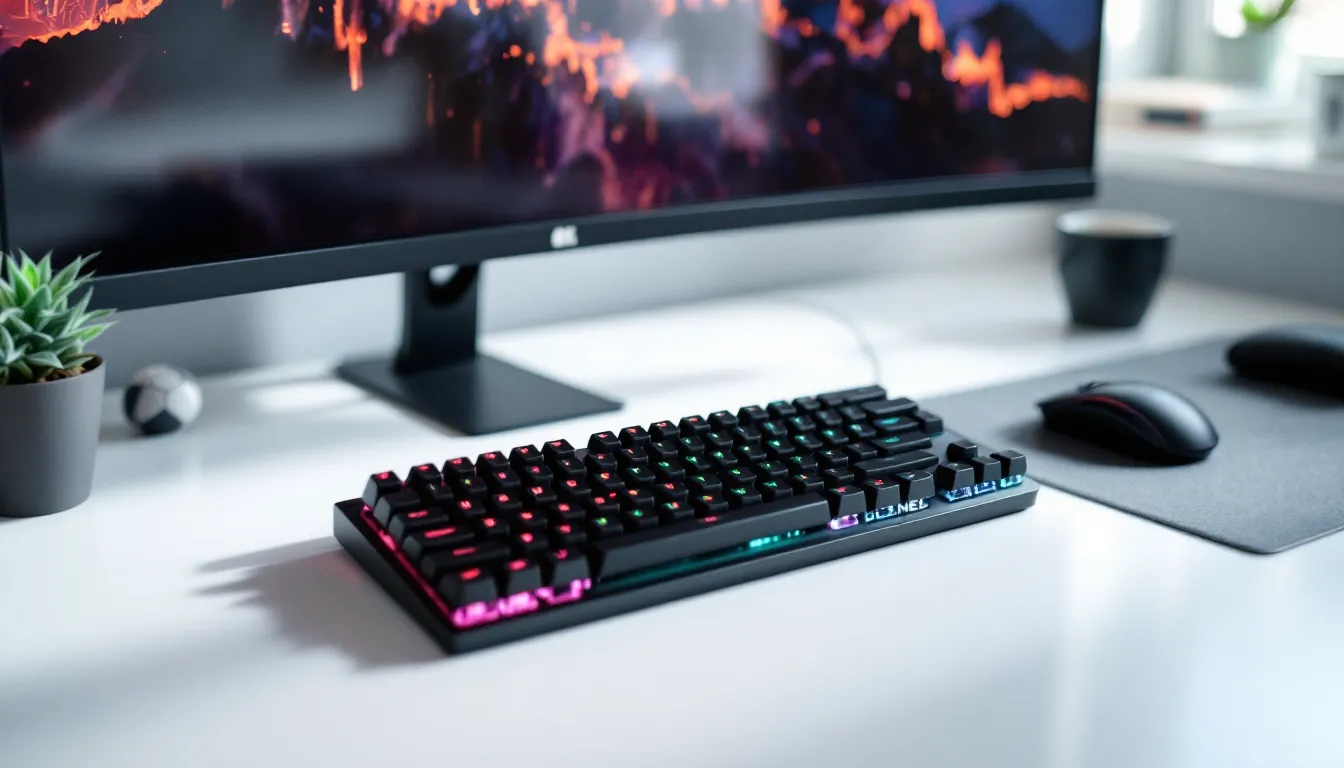
The compact gaming keyboard market has exploded over the past few years, and for good reason. Whether you’re setting up a tournament-ready esports rig or just tired of your desk drowning in peripherals, a compact gaming keyboard delivers the speed and precision you need without the space penalty. Unlike bulky full-size boards, compact keyboards pack mechanical switches, responsive polling rates, and customization deep enough to rival their larger cousins, all in a footprint that actually fits on a cramped gaming desk or fits neatly into a LAN event backpack. The shift toward smaller layouts reflects a real change in how competitive gamers approach their setups: efficiency matters as much as raw performance. This guide breaks down everything you need to know about compact gaming keyboards, from understanding different form factors like 60%, 65%, and tenkeyless (TKL) boards, to identifying the switches, polling rates, and features that’ll actually improve your gameplay.
Table of Contents
ToggleKey Takeaways
- Compact gaming keyboards deliver tournament-grade mechanical switches and sub-millisecond response times while saving 6+ inches of desk space compared to full-size boards, making them ideal for both competitive play and portability to LAN events.
- A compact gaming keyboard comes in three main sizes: 60% (minimal, ultra-portable), 65-75% (balanced option with dedicated arrow keys and function row), and TKL (conservative choice with full functionality), with 65-75% being the most practical for gaming pros transitioning from full-size layouts.
- Mechanical switches are mandatory for competitive gaming due to consistent actuation points, while polling rates should be at least 1000Hz with 8000Hz becoming the new esports standard for eliminating input latency variables.
- Wired connections guarantee lowest latency for esports competition, but modern 2.4GHz wireless protocols now match wired performance practically while offering superior portability and desk aesthetics.
- Strategic rebinding around WASD foundations and layer-based key assignments is essential when transitioning to compact layouts, requiring 1-2 weeks of muscle memory adjustment before competitive play.
- Build quality, tactile switch preference, and hand size matter more than brand prestige or RGB lighting when selecting a compact gaming keyboard, with the $120-160 range offering significantly better durability than budget options.
Why Compact Gaming Keyboards Are Changing the Game
Space Efficiency Without Sacrificing Performance
The appeal of a compact gaming keyboard is straightforward: you get tournament-grade switches and sub-millisecond response times in a board that doesn’t consume half your desk. A standard full-size keyboard stretches about 21 inches wide: a 65% compact keyboard tops out around 15 inches. That’s not just marketing math, it’s real estate you can use for mouse movement, stream overlays, or just breathing room. Competitive players in tactical shooters like CS2 and Valorant have discovered that compact boards force tighter, more efficient hand positioning. Your fingers don’t have to travel as far between key clusters, which can trim milliseconds off ability rotations in MOBAs like League of Legends or ability chains in MMOs.
The compact layout also eliminates the numpad dead zone that makes full-size boards awkward. Instead of that empty space between your numpad and arrow keys, compact keyboards consolidate everything into a tighter grid. More importantly, you don’t sacrifice a single gaming-critical key. Your WASD cluster, arrow keys, and function row remain intact, you just lose the rarely-used numpad itself. For gaming, the trade-off is nearly invisible.
Portability for Esports and LAN Events
If you’ve hauled a full-size mechanical keyboard to a LAN event, you know the pain. A compact keyboard mini or short gaming keyboard cuts that weight and bulk significantly. Most compact boards weigh between 1.5 and 2.5 pounds, light enough to toss in a backpack without thinking twice. Players traveling to qualifier tournaments, grassroots esports events, or just gaming meetups appreciate keyboards that don’t feel like luggage.
Beyond weight, portability changes your mental approach to setup. A compact gaming keyboard feels more like a piece of your personal arsenal, something you’re comfortable swapping between rigs or bringing to a friend’s place. The cable (whether braided USB-C or wireless with a 2.4GHz dongle) packs down cleanly. Your entire peripheral setup, keyboard, mouse, and headset, becomes genuinely mobile.
Improved Ergonomics and Wrist Positioning
This one surprises people: many compact keyboards can actually improve wrist alignment. On a full-size board, your hands have to angle outward to reach the mouse, creating tension in your wrist and forearm. A compact layout lets your mouse sit closer to your keyboard’s right edge, reducing the angle your wrist needs to maintain during long sessions.
That said, ergonomics is personal. Some gamers benefit from the reduced reach: others prefer even more compact designs like 60% boards that force modifier keys into secondary layers. The point: if you’ve experienced wrist strain during extended ranked grinding sessions, a compact keyboard might address the root cause faster than buying a wrist rest.
Key Features to Look For in a Compact Gaming Keyboard
Switch Type and Response Time
The switch you choose dictates how your keyboard feels and performs under pressure. Mechanical switches dominate gaming for one reason: consistency. Each keystroke registers the exact same way, whether it’s your 1st press or your 10,000th in a ranked season. Membrane switches, still found on budget boards, compress and release with more variation, fine for typing, risky in a clutch esports moment.
Within mechanical switches, you’ve got three flavors:
- Linear switches (like Cherry MX Red) offer no tactile bump. Smooth keystroke from press to release. Ideal for fast-paced games where you’re mashing inputs, FPS games, rhythm games, anything requiring speed over feedback.
- Tactile switches (like Cherry MX Brown) give a subtle bump at the activation point. Provides feedback without the noise. Popular for hybrid gaming setups where you’re both playing and typing.
- Clicky switches (like Cherry MX Blue) produce an audible click and tactile bump. Extremely satisfying but loud, great for single-player gaming or streaming with a quality microphone, problematic if you share space or play late-night ranked matches.
Activation force (measured in grams of pressure) matters too. Standard gaming switches sit around 45-50 grams. Lighter switches (35-45g) reduce finger fatigue during marathon sessions but risk accidental keypresses. Heavier switches (60g+) demand deliberate presses and feel more “planted.”
Customization and Macro Support
A quality compact gaming keyboard lets you reprogram nearly every key through dedicated software. This is where mid-range boards separate from cheap knockoffs. You want to reassign keys, create macros for ability rotations, and build profiles per-game without fiddling with DIP switches or cracking open the case.
The best compact keyboards offer:
- Per-key remapping and macro recording (ideally with onboard storage so macros work even without the software running)
- Multiple save profiles (minimum 3-5, more if you play diverse genres)
- Macro delay options so ability chains execute at precise intervals
- Layer switching so you can create secondary key layouts without physical movement
For MMOs and MOBAs, this is table stakes. Assigning macros to mouse buttons or secondary layers lets you trigger complex spell rotations without reaching awkward keyboard positions. The best setup treats your compact gaming keyboard mini configuration as an extension of your mechanical skill, not a limitation.
Build Quality and Durability
Compact keyboards live a harder life. They get packed, transported, and often used on questionable desk surfaces at LAN events. Build quality matters. You’re looking for:
- Aluminum or plastic-composite case (aluminum wins for durability and feel, but adds weight and cost)
- Double-shot keycaps where legends are molded into the keycap material itself, not printed on top (legends won’t wear off after thousands of hours)
- Hotswap sockets (optional but excellent) so you can swap damaged switches without soldering
- Stabilizers on spacebar and shift keys that don’t rattle or feel mushy (this separates $100 boards from $200+ boards)
Check reviews for switch housing quality too. Some brands use reinforced switch housings that handle thousands of actuation cycles without developing rattle or wobble. It’s the difference between a keyboard that feels premium for 6 months and one that sounds janky after a few weeks of daily grinding.
Connectivity Options: Wired vs. Wireless
Wired keyboards deliver the lowest latency and most stable connection, crucial for competitive play. A quality mechanical keyboard on a braided USB-C or USB-2.0 cable introduces no lag, ever. The cable is your reliability guarantee.
Wireless has improved dramatically. Modern 2.4GHz wireless protocols on gaming keyboards (like SteelSeries GN1 or Logitech Lightspeed) operate at 1ms polling rates, matching wired performance for practical purposes. Latency difference? Undetectable in actual gameplay. Reliability is the trade-off: wireless requires battery management, occasional re-pairing, and slightly more expensive components.
The practical choice: if you’re competitive-tier in an esports title, wired removes variables. If you value portability and cleaner desk aesthetics, modern wireless is legitimately viable. Many esports pros now use wireless at majors because the gap has closed that much. Pick whichever doesn’t create anxiety during a competitive match, that mental cost often outweighs the technical specs.
Compact Keyboard Sizes: Understanding the Options
60% Keyboards: The Minimal Approach
A 60% keyboard strips your board down to the bare essentials: letters, numbers, modifier keys, and navigation clustered into roughly 60% of a full-size layout. You’re looking at dimensions around 13-14 inches wide. Everything fits into one compact row set.
The trade-off is real: you lose dedicated arrow keys, dedicated function keys, and the right-side modifier cluster. Arrow keys live on a secondary layer, accessed by holding Fn+WASD or similar. Function keys require layer switching. For players heavily invested in keybind customization (remap F1-F12 to ability macros via software), this is minor. For players who rely on quick F-key access or prefer physical arrow keys, the 60% form factor introduces friction.
60% boards excel for:
- Portable esports setups where every inch counts
- Minimalist players who customize heavily and don’t need layer switching
- Desk-space-constrained gamers
They’re less ideal for:
- Players of MMOs requiring frequent function-key binds
- Gamers who haven’t customized extensively and expect familiar key positions
- Retro gaming on emulators where original game layouts matter
65% and 75% Keyboards: The Middle Ground
The 65% layout adds dedicated arrow keys and a few right-side keys (usually Delete, End, Page Down), bringing the size to around 15 inches. You keep the essential navigation cluster without the numpad bloat. For most compact gaming keyboard users, this is the Goldilocks zone.
75% boards fit roughly 75% of a full-size layout, basically a 65% with a tighter, more traditional arrangement and sometimes a full function row. Dimensions hover around 16-17 inches. Some brands (like Keychron and Ducky) make excellent 75% compact options that sacrifice minimal functionality while staying genuinely portable.
A 65% or 75% keyboard balances:
- Dedicated arrow keys (no layer switching required)
- Function row options (full or abbreviated)
- Real mouse space left on your desk
- Minimal learning curve if you’re used to full-size boards
For players transitioning into compact setups, 65% or 75% removes the “where are my keys” anxiety that 60% boards create. The short gaming keyboard at 65-75% size retains muscle memory from full-size boards while delivering real space savings. Most gaming pros who’ve moved to compact boards actually use 65% or 75%, not 60%.
TKL (Tenkeyless) Keyboards: Balancing Functionality and Space
Tenkeyless (TKL) keyboards remove the numpad but keep the full function row, arrow keys, and right-side modifiers. At around 18-19 inches, they’re still genuinely compact compared to a full-size board (which stretches 21 inches) but retain virtually all functionality. They’re the conservative compact choice.
TKL is ideal for:
- Gamers who want compact form factor without relearning key positions
- Players who use function keys or dedicated arrow keys regularly
- MMO and simulation game players
- Anyone who hasn’t yet adopted heavy keybind remapping
The trade-off: TKL is the least portable of the compact options. If you’re comparing a 65% at 15 inches versus a TKL at 18 inches, you’re giving up 3 inches of desk space. That adds up in cramped LAN event setups.
For gaming specifically, the 65% and 75% middle-ground sizes have become more practical than full TKL. You lose minimal functionality but gain meaningful space. But, if you’re primarily a PC player who rarely travels, TKL offers the best compromise between compact sizing and familiar key layouts.
Gaming Performance: Speed, Precision, and Input Lag
Mechanical vs. Membrane Switches for Competitive Gaming
This debate is essentially over in competitive circles. Mechanical switches dominate every esports title at the highest level because they offer consistent, predictable keystroke registration. Each mechanical switch has an exact actuation point, the moment the switch registers your press. You can feel that moment happening (or hear it), and it’s identical across thousands of presses.
Membrane switches, found on budget boards and many office keyboards, work differently. They compress a rubber dome beneath the keycap. The entire switch feels “mushy,” and the exact registration point varies slightly with each press depending on finger angle and pressure. For gaming where milliseconds matter, this inconsistency is a liability.
In frame-perfect games like platformers or fighting games, the difference is noticeable immediately. In fast-paced esports titles like CS2, Valorant, or Overwatch 2, the consistency of mechanical switches directly influences your ability to lock precise aim angles and execute timings.
Conversely, for casual gaming, turn-based strategy, or single-player story games, membrane keyboards perform fine. The extra cost and learning curve of mechanical boards doesn’t justify itself unless you’re grinding ranked or competing. But if you’re reading this guide, you probably care about performance, which means mechanical is mandatory.
Specific switch recommendations for gaming:
- Linear (Cherry MX Red, Gateron Yellow): Fastest feel, minimal feedback. Ideal for FPS and rhythm games.
- Tactile (Cherry MX Brown, Gateron Brown): Balanced feedback and speed. Great all-arounder.
- Clicky (Cherry MX Blue, Razer Green): Best tactile feedback but loudest. Use only in single-player or if you have quiet hours.
Polling Rate and Response Latency
Polling rate is how often your keyboard reports its status to your PC, measured in Hz. A 1000Hz polling rate means the keyboard sends input data 1000 times per second, every 1 millisecond. Standard office keyboards poll at 125Hz (every 8ms). The difference is significant under competitive pressure.
In a firefight in CS2, that 7ms difference compounds. Your reaction time combined with input latency combined with network latency determines whether you land a headshot or get traded. Professional players eliminate every variable, which is why 8000Hz polling rate keyboards are now becoming standard at majors.
8000Hz keyboards report input data every 0.125ms. That’s overkill for most games, but it removes polling rate as a concern entirely. Many boards now support switchable polling rates (1000Hz, 2000Hz, 4000Hz, 8000Hz) via software or hardware switches, letting you tune based on your CPU load or personal preference.
Response latency is the delay between physical keypress and the moment your game receives the input. Quality compact gaming keyboards achieve sub-1ms latency on wired connections. Wireless gaming keyboards with quality 2.4GHz protocols match this practically (typically 1-2ms, indistinguishable from wired in real-world gaming).
Bottom line: aim for at least 1000Hz polling rate on any gaming keyboard. 8000Hz is becoming the new standard and is worth the investment if you’re competitive. The latency gap between a quality gaming keyboard and a budget office board is often 5-8ms, enough to cost you a kill or a round.
Compact Gaming Keyboards for Different Game Genres
FPS and Competitive Esports Games
FPS games like CS2, Valorant, and Call of Duty benefit most from compact keyboards with linear mechanical switches and high polling rates. Your keybinds cluster around WASD (movement), Space (jump/crouch), and ability keys (typically E, Q, or nearby). A 65% or 75% compact keyboard delivers everything you need without excess, and your fingers stay in a tight attacking zone.
The meta setup for esports FPS:
- Switch type: Linear (Red or Yellow equivalent) for consistency and speed
- Polling rate: Minimum 1000Hz, ideally 4000Hz or 8000Hz
- Layout: 65% or 75% (keeps arrow keys and function row accessible)
- Customization: Macro keys for utility abilities (smokes, flashes, utility timing)
Wired connectivity is standard at esports events, though wireless has become accepted at majors if the brand’s proven reliability (Corsair, SteelSeries, Logitech, Razer all sponsor teams).
Dedicated esports-focused boards like the Corsair K70 Pro Mini Wireless or SteelSeries Apex Pro Mini come tuned for this use case: fast switches, high polling rate, robust software, and tournament-grade durability. Budget alternative: Keychron Q3 or similar enthusiast 75% boards ($120-160 range).
MMO and MOBA Titles
MMOs like World of Warcraft and MOBAs like League of Legends favor keyboards with abundant keybind options and customizable macro support. Your ability rotation might involve 12+ keys in sequence (think a resto druid in raid or an ADC kiting away from enemies).
For these games, a compact gaming keyboard that supports:
- Extensive remapping: Every key programmable via software
- Macro chaining: Abilities execute in sequence with precise timing intervals
- Multiple profiles: Switch between character classes instantly
- Dedicated macro/programmable keys: Ideally 6+ side keys for rapid-access abilities
Size-wise, 75% or TKL layouts work well because function keys become macro triggers. You’re less concerned about sub-millisecond reaction times (MMO GCD mechanics run on 1-2 second cycles) and more concerned with reliably executing rotation sequences without error.
A mechanical keyboard here doesn’t need to be linear, tactile switches are actually preferable because they provide feedback that you’re hitting the right keys during fast rotations. Polling rate matters less: 1000Hz is plenty for MMOs: 8000Hz doesn’t provide gameplay benefit.
Budget pick: Keychron Q1 Pro or Glorious GMMK Pro. High-end enthusiast option: Ducky Mecha SF (with full customization).
Retro Gaming and Emulation Setup
If you’re running emulators for N64, SNES, or arcade cabinets, keyboard choice is about accurate layout recreation and consistent key response. The N64 controller’s layout, for instance, has an unusual three-pronged design, you’ll want to rebind your emulator so muscle memory matches original hardware.
Compact keyboard for retro:
- Layout flexibility: Ability to reprogram keys to match original console layouts
- Responsiveness: Mechanical switches (any type) beat membrane keyboards for consistent frame timing
- Low latency: Less critical than esports but still beneficial for precision platformers
Interestingly, compact keyboards excel here because you can create custom layers mimicking original controller layouts. A 60% board with three programmable layers can replicate classic console inputs perfectly. Your hands stay positioned for optimal gameplay instead of fighting an awkward full-size board.
Retro gaming purists sometimes prefer dedicated arcade stick controllers, but if you’re using keyboard, a compact mechanical board with full customization lets you nail authentic input timing. Frame-perfect platformer sections in games like Mega Man or Contra benefit from mechanical precision over membrane fuzziness.
Setup and Customization Tips
Optimizing Key Bindings for Compact Layouts
Transitioning to a compact gaming keyboard requires strategic rebinding, especially if you’re moving from a full-size board. Don’t just move to compact layout and suffer, actually rethink your keybinds around the new form factor.
Start with these principles:
Keep WASD untouched. This is muscle memory you shouldn’t rewrite. Movement keys stay exactly where they are on every keyboard layout. Your thumb on spacebar, fingers on WASD, that’s your foundation.
Consolidate ability keys to one cluster. On a full-size board, you might have abilities scattered across Q, E, R, T, F, G, X, C. On a compact board, group them near your right hand: E, R, T, Y on the first row above WASD: F, G, H, J on secondary layers: Mouse Side buttons for frequent-access utilities. This reduces finger travel during combat.
Layer-based design for secondary functions. Most compact boards support two or three programmable layers. One layer is your main game layer: another might be utility/emote buttons, or ability macros for rotation-heavy MMOs. Hold Fn to access alternative layer. Within a week, this becomes second nature.
Test extensively before competition. Don’t switch keyboards right before a ranked season or tournament. Use your new compact setup for casual matches, community servers, or single-player content for at least a week. Your muscle memory will adapt, but rushing this is asking for performance dips.
Specific rebinding for compact 65% layout:
- Primary layer: Standard WASD + QERT for abilities + F/G for utility
- Secondary layer: Accessed via Fn key, provides access to macros, media controls, or alternative keybinds
- Mouse buttons: Side buttons (typically 4-5) for alternate abilities or ability modifiers (hold side button + E = different spell)
For MMOs, many players bind ability rotations to macro sequences: one button press triggers Ability 1, waits 0.5s, triggers Ability 2, waits 0.5s, triggers Ability 3. That’s a GCD rotation in two or three keypresses.
RGB Lighting and Aesthetic Considerations
RGB lighting is a love-it-or-hate-it feature. Competitively, it’s irrelevant, RGB doesn’t improve your aim or reaction time. Aesthetically, it’s personal preference: some gamers love the customizable ambiance: others see it as gimmick and cost.
Practical considerations:
- RGB adds cost ($20-50 typically) to your keyboard
- RGB requires software to customize, adding complexity
- RGB drains battery faster on wireless boards (not ideal for portability)
- RGB improves visibility in dimly lit environments (valid for late-night gaming sessions)
- RGB can be turned off via software or hardware toggle if you want it dark
For competitive gaming, skip RGB if you’re budget-conscious. For aesthetics and streaming, RGB per-key customization is nice (pair keyboard lighting with your desk setup, game theme, or stream aesthetic).
If you do want RGB: prioritize even, consistent per-key illumination over flashy animations. Animated wave effects look cool once, then become visual noise. Static per-key coloring (custom colors per game) is more functional and less distracting.
Common Mistakes to Avoid
Buying based purely on brand recognition. Just because a major brand sponsors esports doesn’t mean their compact gaming keyboard mini offering is optimal for your setup. Razer, Corsair, SteelSeries, and Logitech make excellent boards, but so do Keychron, Ducky, and smaller enthusiast brands. Research specific models, read reviews from gamers in your genre, and prioritize your actual needs over brand prestige.
Ignoring the learning curve of 60% layouts. A 60% keyboard requires 1-2 weeks of adjustment before it feels natural. If you’re in the middle of a competitive season or ranked grind, don’t switch. Plan the transition during offseason or when you have time to re-train muscle memory. Many players bounce off 60% boards because they tried them mid-season and got frustrated.
Choosing wireless for esports competition without testing extensively. Wireless keyboards are genuinely viable now, but if you’re not 100% confident in your specific model’s reliability, stick wired at tournaments. One disconnected match due to interference or low battery is worse than carrying a cable.
Overvaluing high polling rate for non-esports games. If you play MMOs, strategy games, or single-player content, 1000Hz polling rate is more than sufficient. 8000Hz is cutting-edge and pricey: you’re paying premium for marginal real-world benefit in non-esports titles. Spend that money on better switches or build quality instead.
Not testing switch feel before committing. Mechanical switches vary dramatically. Cherry MX Red feels entirely different from Gateron Yellow even though both being linear. If possible, try switches at a gaming cafe, friend’s rig, or switch tester before buying a full keyboard. Discovering you hate your switch choice after purchase is a $100+ mistake.
Buying too small for your hands. This sounds obvious, but cramped hand positioning on a 60% keyboard for hours leads to fatigue. If you have larger hands, a 65% or 75% compact layout is likely better than forcing yourself into 60% to save inch. Test with friends or at stores if possible.
Neglecting build quality for price. A $60 gaming keyboard might feel fine for the first month: six months later, stabilizers rattle, switches develop mushy actuations, and keycap legends fade. Compact keyboards experience more wear due to portability and frequent packing. Invest in proven brands with good build quality. The $120-160 range offers vastly better longevity than $50-80 options. PCMag reviews peripherals extensively if you want durability comparisons before buying.
Conclusion
A compact gaming keyboard is no longer a compromise, it’s a strategic choice that top-tier competitive players, streamers, and esports professionals embrace. Whether you opt for a 60% short gaming keyboard for maximum portability, a 65-75% balanced configuration that retains familiar key layout, or a TKL with full functionality, the compact form factor pairs mechanical responsiveness with practical desk space that full-size boards can’t match.
The decision eventually depends on your gaming habits, hand size, genre focus, and how heavily you customize keybinds. FPS esports pros gravitate toward 65-75% boards with linear switches and 8000Hz polling rates. MMO players benefit from 75% layouts with customizable macros. Casual gamers and emulation enthusiasts find 60% boards adequate once they adapt to layer-based secondary functions.
When evaluating options, prioritize mechanical switches, proven build quality, and connectivity reliability over flashy RGB or brand prestige. Check TechRadar’s gaming keyboard guides and Tom’s Hardware benchmarks for detailed reviews of current models before committing. Test different switch types if you can, your tactile preference matters more than marketing claims.
The compact gaming keyboard market delivers legitimate performance and portability that didn’t exist five years ago. Pick the form factor and switch type matching your playstyle, commit to the learning curve, and you’ll wonder why you ever needed that oversized numpad taking up desk space.

