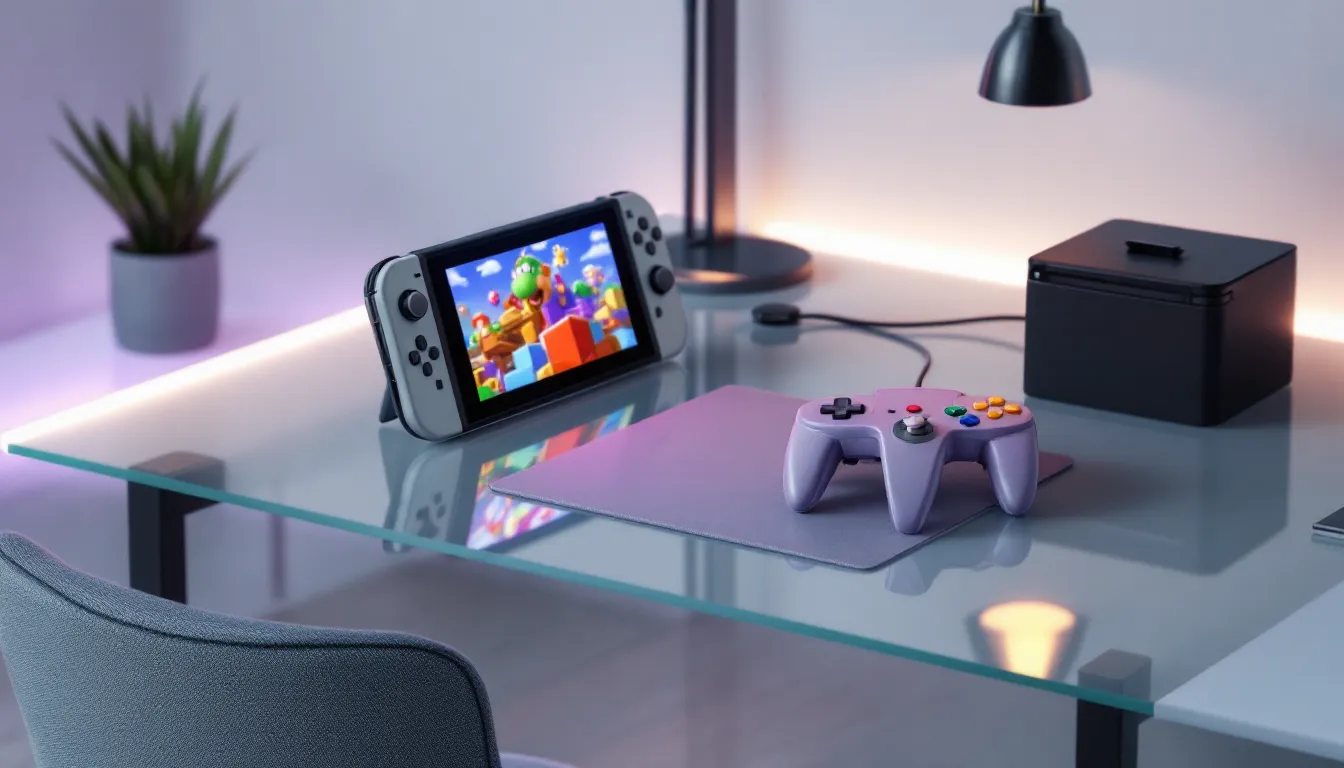
Nostalgia is powerful, and for many gamers, that distinctive three-pronged controller grip brings back memories of GoldenEye, The Legend of Zelda: Ocarina of Time, and countless late-night sessions. Now, in 2026, you can actually use a Nintendo 64 controller with your Switch, and it’s way more straightforward than you’d think. Whether you’re chasing the authentic feel of classic N64 games on Switch Online or just want to experience retro gaming the way it was meant to be played, understanding your controller options is crucial. This guide breaks down everything: official controllers versus third-party knockoffs, setup instructions, performance quirks, game availability, and where to actually buy these things without getting scammed. If you’ve been wondering whether a Nintendo 64 controller for Switch is worth your time and money, you’re about to find out.
Table of Contents
ToggleKey Takeaways
- The Nintendo 64 controller for Switch is officially available and connects wirelessly via Bluetooth, offering authentic retro gaming with upgraded analog sticks that are more durable than the original 1996 hardware.
- Official Nintendo N64 controllers cost $60–70 and work exclusively with N64 games on Switch Online + Expansion Pack, while third-party alternatives like Tribute64 offer broader Switch compatibility and often superior stick durability using hall-effect sensors.
- Modern N64 controller implementations significantly reduce stick drift compared to the original by redesigning the analog stick mechanism, though some units may develop minor issues after 300+ hours of use.
- The N64 game library on Switch Online includes 30+ classics like Super Mario 64, The Legend of Zelda: Ocarina of Time, GoldenEye 007, and Mario Kart 64, with new titles being added regularly through 2026.
- Third-party N64-style controllers like Brawler64 and Tribute64 can be used across all Switch games and other platforms, providing more versatility than the official controller but with variable quality control between models.
- Purchase from authorized retailers like the Nintendo Store, Best Buy, or Target for the official controller, or directly from manufacturers like Retro-Bit for premium third-party options to ensure warranty coverage and authentic products.
What Is The Nintendo 64 Controller For Switch?
The Nintendo 64 controller for Switch is an officially licensed or third-party wireless controller that mimics the design and layout of the original N64 pad, allowing you to play classic N64 games on your Nintendo Switch or Switch Lite with the authentic retro experience. When Nintendo launched N64 games on Switch Online (now called Nintendo Switch Online + Expansion Pack), they released an official N64 controller to go with it. It connects wirelessly via Bluetooth and works specifically with N64 titles in the subscription service.
The controller replicates the iconic three-prong design with the central stick at the bottom and the Z-trigger on the back. But, modern iterations often include upgrades like better analog stick durability, improved Bluetooth connectivity, and a rechargeable battery instead of needing AA batteries like the original 1996 hardware.
There’s been a real demand for these controllers since the N64 game library went live on Switch. The original N64 controller was ergonomically polarizing, some people loved the grip, others found it awkward. On Switch, having that option means players can choose authenticity or modern comfort depending on their preference.
Official Nintendo 64 Controller vs. Third-Party Alternatives
Official Nintendo N64 Controller
Nintendo‘s official N64 controller for Switch is the gold standard if you want the genuine experience and guaranteed compatibility. Released in 2021 alongside the Switch Online Expansion Pack launch, it’s manufactured under Nintendo’s supervision and uses the classic three-pronged design. The analog stick is the highlight, Nintendo upgraded it from the original’s notorious wear-prone design to something more durable, though some reports of stick drift have surfaced after heavy use.
The official controller connects via Bluetooth, has a rechargeable battery (around 30 hours per charge), and works exclusively with N64 games on Switch Online. Price-wise, you’re looking at $60-70 depending on retailer, and there are different color variants available: classic gray, Atomic Purple, Forest Green, and others released through limited runs.
One critical thing: the official N64 controller only works with N64 games on Switch Online. You can’t use it for other Switch titles like Mario Kart 8 Deluxe or Zelda: Breath of the Wild.
Third-Party N64-Style Controllers
Third-party manufacturers like Brawler64, Tribute64, and others have jumped into this space with varying degrees of success. These controllers attempt to capture the N64 aesthetic while adding modern features like gyro controls, rumble, or compatibility with games beyond just Switch Online’s N64 catalog.
Brawler64 by Retro Fighters is one of the most popular third-party options. It’s wireless, has a more modern ergonomic grip (less three-pronged, more traditional), and supports full Switch game compatibility, meaning you can play any Switch title with it, not just N64 games. Price is similar to the official controller, around $60-65.
Tribute64 by Retro-Bit is another solid alternative if you want a controller that looks closer to the original but with improved analog sticks and a better wireless implementation. It runs about $70-80 but has excellent build quality and reliability reports.
The main trade-off with third-party options: you get broader game compatibility and sometimes better ergonomics, but you lose the “official” seal and guaranteed Nintendo support. That said, products like Tribute64 have earned strong reviews from the gaming community for durability and performance.
Compatibility And Setup
Pairing With Your Nintendo Switch
Setting up an N64 controller with your Switch is simple, but there are a few steps you need to follow correctly to avoid frustration.
For the official Nintendo N64 controller:
- Charge the controller fully before first use (it comes with a USB-C cable).
- On your Switch home screen, go to System Settings > Controllers and Sensors > Change Grip/Order.
- Press the pairing button on the back of the controller (usually a small recessed button near the battery compartment).
- The controller should appear in the controller list. Select it to pair.
- Test the connection by launching an N64 game on Switch Online + Expansion Pack.
Once paired, the controller stays connected unless you manually unpair it or sync it with another console. The Bluetooth range is solid, around 20-30 feet in most cases, though interference from microwaves, WiFi routers, or other 2.4GHz devices can occasionally cause disconnects.
For third-party controllers like Brawler64 or Tribute64, the process is identical. Head to Change Grip/Order, press the pairing button, and you’re done.
One quirk: if you have multiple wireless controllers paired, the Switch might get confused about input priority. If your N64 controller isn’t responding, go back to Change Grip/Order and confirm it’s properly assigned to a player slot.
Game Compatibility Requirements
Here’s the critical thing to understand: the official Nintendo N64 controller is locked to Switch Online + Expansion Pack’s N64 game library. You cannot use it with standard Switch games, even if they’re remakes or spiritual successors to N64 classics.
As of early 2026, the N64 game library on Switch Online includes classics like:
- Super Mario 64
- The Legend of Zelda: Ocarina of Time
- Mario Kart 64
- GoldenEye 007
- Paper Mario
- Kirby 64: The Crystal Shards
- Dr. Mario 64
- F-Zero X
- Star Fox 64
- And roughly 30+ more titles
The full roster is updated periodically, so it’s worth checking the Switch Online app to see the current lineup. Some titles added in 2025-2026 expanded the library significantly.
Third-party N64-style controllers, by contrast, often work across all Switch games. The Brawler64 and Tribute64 can be used for any title because they register as standard Switch Pro controllers to the system. This makes them more versatile if you want one controller for retro gaming and everything else.
One thing to note: if you own cartridge-based N64 games from the original hardware or you’re playing N64 ROMs through emulation, the official Nintendo N64 controller won’t help you there. It’s exclusively for licensed Switch Online content.
Performance And Features To Consider
Build Quality And Durability
The original N64 controller is a legendary failure in the durability department. The analog stick wore out quickly with heavy use, by 2005, most original controllers felt like they were made of sand. Nintendo learned from this.
The official N64 controller for Switch uses a completely redesigned analog stick mechanism that’s significantly more robust. Reports from the gaming community suggest it’s holding up much better than the original, with some users putting hundreds of hours in without issues. That said, any wireless stick-based controller can develop drift eventually, it’s a physics problem, not a Nintendo-exclusive one.
Third-party controllers vary wildly in quality. Tribute64 uses a high-quality stick module and has earned a reputation for longevity. Brawler64 by Retro Fighters has mixed reviews, some players report years of solid use, while others experienced drift within months. It depends on the production batch and individual unit.
The plastic used on official controllers feels premium and matches modern Switch controller standards. Third-party options are hit-or-miss: some use premium ABS plastic, others feel cheaper. Check reviews for the specific model before buying.
Analog Stick Responsiveness And Drift Issues
The analog stick is where N64 controllers shine or fail. The original stick was notoriously sloppy and wore out fast. Modern versions have tighter tolerances and more durable components.
Official Nintendo N64 controller: The stick feels responsive and snappy, with minimal deadzone out of the box. In games like Super Mario 64, precision movement feels excellent. But, after extended use (500+ hours), some units develop subtle drift where the stick registers slight movement even at rest. This isn’t as severe as the original, but it’s a known issue. Nintendo offers replacement sticks or full controller replacements under warranty.
Tribute64: This stick is consistently praised as the best third-party implementation. It uses a hall-effect sensor instead of traditional potentiometers, which theoretically eliminates drift entirely. In practice, players report years of drift-free use. The trade-off is a slightly different feel, it’s more precise but less “floaty” than the original.
Brawler64: Retro Fighters uses a mechanical stick that feels closer to the original, but durability varies. Some units are rock-solid, others develop issues. The stick can feel looser or tighter depending on manufacturing variance.
If stick responsiveness is your priority, test the controller in-store if possible, or buy from retailers with solid return policies. For online purchases, always check recent reviews, controller quality can shift between production runs.
Wireless Range And Battery Life
Official Nintendo N64 controller:
- Wireless range: 20-30 feet under normal conditions
- Battery life: 30+ hours per charge (realistic: 25-28 hours with active use)
- Charging time: 3-4 hours via USB-C
The battery is solid. Most players charge once per week and never worry about it dying mid-session. The Bluetooth implementation is stable but can occasionally drop signal if you’re sitting more than 25 feet away from the console or if there’s heavy WiFi interference.
Third-party controllers:
- Tribute64: Similar range and battery (25-30 hours), very reliable connection
- Brawler64: Range varies by unit, battery life around 20-25 hours
In practice, wireless range isn’t an issue for most gamers. Unless you’re playing from across the room, you won’t notice a difference. Battery life is where you’ll feel the impact, if you play 4+ hours daily, charging every 2-3 days is the norm.
One advantage of third-party options: many support USB-C passthrough charging, meaning you can keep playing while plugged in. The official Nintendo controller can charge while in use but some players report slight input lag when tethered.
Best N64 Games To Play On Switch
N64 Games Available On Switch Online
The N64 catalog on Switch Online is the reason people buy these controllers in the first place. As of March 2026, the library includes:
Essential Titles:
- Super Mario 64 – The gold standard 3D platformer. Using an N64 controller feels right here: the analog stick controls feel authentic to the original experience.
- The Legend of Zelda: Ocarina of Time – Still holds up as a masterpiece. The Z-target lock-on and camera controls benefit from the analog stick precision.
- Mario Kart 64 – Chaotic multiplayer racing. The N64 controller gives you the exact steering feel as the original.
- GoldenEye 007 – The legendary FPS that defined console shooters. First-person controls on a modern screen with the original controller is surreal.
- Star Fox 64 – On-rails shooting perfected. The analog stick is crucial for aiming.
Hidden Gems:
- Paper Mario – Turn-based RPG with charm and humor.
- Kirby 64: The Crystal Shards – Underrated platformer with unique power mechanics.
- F-Zero X – Fast-paced anti-gravity racing, still feels responsive and tight.
- Banjo-Kazooie – 3D platforming with personality (though some fans prefer the spiritual successor on other platforms).
Recent additions to the Switch Online + Expansion Pack library have filled gaps, titles like Excitebike 64, Jet Force Gemini, and 1080° Snowboarding rounded out the catalog in 2024-2025. More are expected to roll out through 2026.
If you’re new to N64 games, start with Super Mario 64 or Ocarina of Time. Both showcase why the console was legendary and why an N64 controller actually matters, these games were designed around that stick.
Enhanced Versions And Remakes
Some N64 games have been ported or remade on Switch with modern improvements. These work with the N64 controller but aren’t exclusive to it.
Super Mario 3D All-Stars (2020 limited release, now hard to find) included Super Mario 64 with updated visuals. The N64 controller works great here, though the Switch Pro controller is also solid.
The Legend of Zelda: Ocarina of Time hasn’t received a full remake on Switch, but you can play the 3DS version through emulation on older Switches or just stick with the Switch Online version.
Banjo-Kazooie has a spiritual successor in Banjo-Kazooie: Nuts & Bolts (Xbox exclusive), but the original is only available on Switch Online.
Recent coverage from Siliconera noted that Nintendo’s been selective about remakes, focusing instead on expanding the Switch Online catalog. This means classic N64 games on Switch Online remain the primary way to experience these titles officially.
Some players prefer third-party emulation tools like RetroArch or Dolphin for enhanced graphics or mods, but that’s outside Nintendo’s ecosystem and the scope of this guide. For legal, official play, Switch Online + Expansion Pack is your access point.
Pricing And Where To Buy
Official Nintendo Store Options
The Nintendo eShop doesn’t sell controllers directly through digital download (obviously), but Nintendo’s official website and authorized retailers carry the official N64 controller.
Nintendo Store (online): Pricing at $59.99-69.99 depending on color variant. Gray (the classic) is usually the baseline price. Limited-edition colors like Atomic Purple or Forest Green command a premium ($69.99-79.99). Shipping is relatively fast (2-3 business days in most US regions), and you get the full warranty.
Note: Stock on the Nintendo Store fluctuates. Limited colors sell out quickly, so if you want a specific variant, checking regularly is necessary.
Best Buy, Target, and Walmart: These retailers carry the official controller at similar pricing ($59.99-69.99). Best Buy occasionally bundles it with Switch Online gift cards. Target and Walmart price-match, so if you find a better deal, they’ll match it.
The advantage of buying through big retailers: you get the return policy (usually 30 days), and you can inspect the controller in-store before purchasing. This matters because you want to verify the analog stick feels right and there’s no obvious manufacturing defect.
Retail And Online Retailers
Third-party N64-style controllers are available through:
Amazon: Widest selection of third-party options. Brawler64, Tribute64, and generic knockoffs all available. Prices range from $40 (cheap knockoffs) to $85 (premium Tribute64). Critical: Read reviews carefully. Third-party sellers on Amazon vary in quality control. Look for controllers with 4.5+ stars and 1000+ reviews. Avoid anything with recent negative comments about stick drift or Bluetooth connectivity issues.
Retro Fighters Official Site: If you want Brawler64, buying directly from the manufacturer cuts out the middleman. Price is $64.99, and they have a solid customer service record.
Retro-Bit (Tribute64 manufacturer): Their site sells Tribute64 at $79.99 with direct support. Shipping takes 1-2 weeks but quality is guaranteed.
GameStop: Still carries some N64-style controllers, though their selection is smaller than it was a few years ago. Pricing is competitive, and they offer in-store pickup.
Local retro gaming shops: If you have a local retro game store, they often stock third-party N64 controllers and may let you handle them before buying. This is invaluable for testing stick responsiveness.
Reddit communities like r/retrogaming and r/n64 often have buying guides updated monthly with current deals and stock availability. Nintendo Life also tracks controller deals and availability.
Pros And Cons Of Using N64 Controllers On Switch
Pros:
- Authentic experience: Playing Mario 64 or GoldenEye with the original controller design feels right. It’s nostalgia done properly.
- Precision analog stick: Modern implementations (especially Tribute64) have better stick quality than the original, eliminating the sand-like wear-out issue.
- Dedicated design: The N64 controller’s unique layout is optimized for how N64 games were designed. The Z-trigger positioning, stick placement, and button layout make sense in context.
- Variety of options: Official, premium third-party, and budget alternatives let you choose your price point and feature set.
- Works across platforms (third-party): Controllers like Brawler64 work on PC, Mac, and other platforms beyond Switch, adding value.
- Collectible appeal: Limited-edition color variants hold resale value and look great next to a Switch collection.
Cons:
- Expensive: $60-80 for a controller that only works with specific games (official) or requires saving if buying third-party.
- Limited game compatibility (official): The official N64 controller only works with N64 games on Switch Online. Can’t use it for Mario Kart 8, Zelda BOTW, or anything else.
- Stick drift potential: Even modern versions can develop drift after 300+ hours. It’s less common than the original, but it happens.
- Ergonomic hit-or-miss: The three-prong design isn’t comfortable for everyone. Holding it for extended sessions can fatigue your hands if you’re not used to it.
- Bluetooth reliability varies: Third-party controllers have inconsistent wireless implementation. Some are rock-solid, others disconnect occasionally.
- No gyro (official): The official Nintendo N64 controller lacks gyro controls, which some modern games expect. Third-party alternatives sometimes include this.
- Stock scarcity: Limited-edition colors and premium third-party options sell out quickly and can be hard to restock.
If you’re committed to reliving N64 classics on Switch, the investment is worthwhile. If you’re a casual player or mainly care about newer Switch games, a standard Switch Pro controller is the better choice.
Troubleshooting Common Issues
Connection Problems
The controller won’t pair:
- Ensure the controller is fully charged. A dead battery prevents pairing.
- Hold the pairing button (usually on the back near the battery) for 3-5 seconds until you see a light indicator or confirmation.
- Make sure you’re in the correct Switch menu: System Settings > Controllers and Sensors > Change Grip/Order.
- If the controller still doesn’t appear, restart the Switch console completely (hold the power button for 10 seconds).
- Try pairing a different wireless controller to confirm your Switch’s Bluetooth isn’t broken.
- If using a third-party controller, check the manual, some have mode switches (Nintendo Switch mode vs. PC mode) that need to be set correctly.
The controller keeps disconnecting:
- Move closer to the Switch. Bluetooth range issues are common at 25+ feet.
- Check for interference sources: microwaves, WiFi routers, USB 3.0 devices. Move these away from your playing area if possible.
- Unpair the controller and re-pair it. Sometimes a fresh connection fixes flaky signals.
- Update the controller’s firmware if available. Some third-party manufacturers release updates through their apps.
- If you have multiple wireless controllers paired, unpair the ones you’re not using. Too many devices can cause conflicts.
- Charge the battery fully. A low battery can cause disconnection issues even if the controller powers on.
Input lag or delayed response:
- Check the controller’s battery level. Low battery = noticeable lag.
- Move away from sources of WiFi interference.
- Ensure you’re using the latest controller firmware (if applicable).
- For the official Nintendo N64 controller, lag is rare unless the battery is critically low. If you’re experiencing consistent lag, the unit may be defective.
Stick Drift And Wear
Analog stick drifting (registering movement when you’re not touching it):
- Calibrate the stick: Go to System Settings > Controllers and Sensors > Calibrate Control Stick. This recalibrates the deadzone and can temporarily fix minor drift.
- Reduce deadzone in-game: Some N64 games on Switch allow deadzone adjustment. Check the settings menu.
- Clean the stick: If you haven’t used the controller in a while, dust accumulation can cause false drift signals. Use compressed air around the stick opening (don’t insert anything into the mechanism).
- Replace the stick module: For official Nintendo controllers, you can purchase replacement stick modules (around $15) and swap them yourself if you’re comfortable with minor disassembly. Nintendo also offers mail-in repairs.
- Contact support: If the controller is under warranty (typically 1 year), Nintendo will replace it or repair it free.
For third-party controllers like Tribute64 (which uses hall-effect sensors), drift is theoretically non-existent. If you do experience it, contact the manufacturer, it’s usually a defect, not wear.
The stick feels loose or unresponsive:
- Check if you’re using the correct deadzone settings. A high deadzone can make the stick feel less responsive.
- Calibrate again through System Settings.
- If the stick physically feels loose (rattling inside the mechanism), this indicates wear or manufacturing defect. Contact the manufacturer or purchase a replacement stick module.
- For original N64 controllers adapted to Switch (using USB converters), this is expected after decades of wear. Consider upgrading to a modern controller.
Stick replacement cost: Official Nintendo stick replacements run $10-15. Full controller replacement is $60-70. Third-party stick modules vary: Tribute64 replacements are $25-30, Brawler64 modules are $15-20.
Conclusion
Using an N64 controller on Switch in 2026 is no longer a niche hobby, it’s a legitimate way to experience classic gaming the way it was designed. The official Nintendo N64 controller offers the authentic experience with modern reliability, while third-party alternatives like Tribute64 and Brawler64 provide flexibility and sometimes better durability.
The choice depends on your priorities: if you want pure nostalgia and guaranteed compatibility with Switch Online’s N64 library, the official controller is worth the $60-70 investment. If you want broader Switch game compatibility and don’t mind paying more for durability, Tribute64 delivers. If budget is tight, Brawler64 splits the difference, though quality control is less consistent.
The N64 game library on Switch Online keeps expanding, making the argument for a dedicated controller stronger every month. Super Mario 64, Ocarina of Time, and GoldenEye 007 still hold up as gaming landmarks, and they genuinely play better with the stick they were designed for.
Before buying, read recent user reviews for your specific controller choice, production batches vary. Test the analog stick responsiveness if possible, and ensure you’re buying from a retailer with a solid return policy. With the right controller in hand, you’re not just playing retro games: you’re connecting with a pivotal era of gaming history. For deeper context on N64 controller modifications and customization options, check out our guides on making these classics your own. You can also explore converting N64 controllers to USB if you’re interested in using original hardware on modern systems, or jump into the broader Nintendo 64 retro gaming ecosystem for more coverage.

