
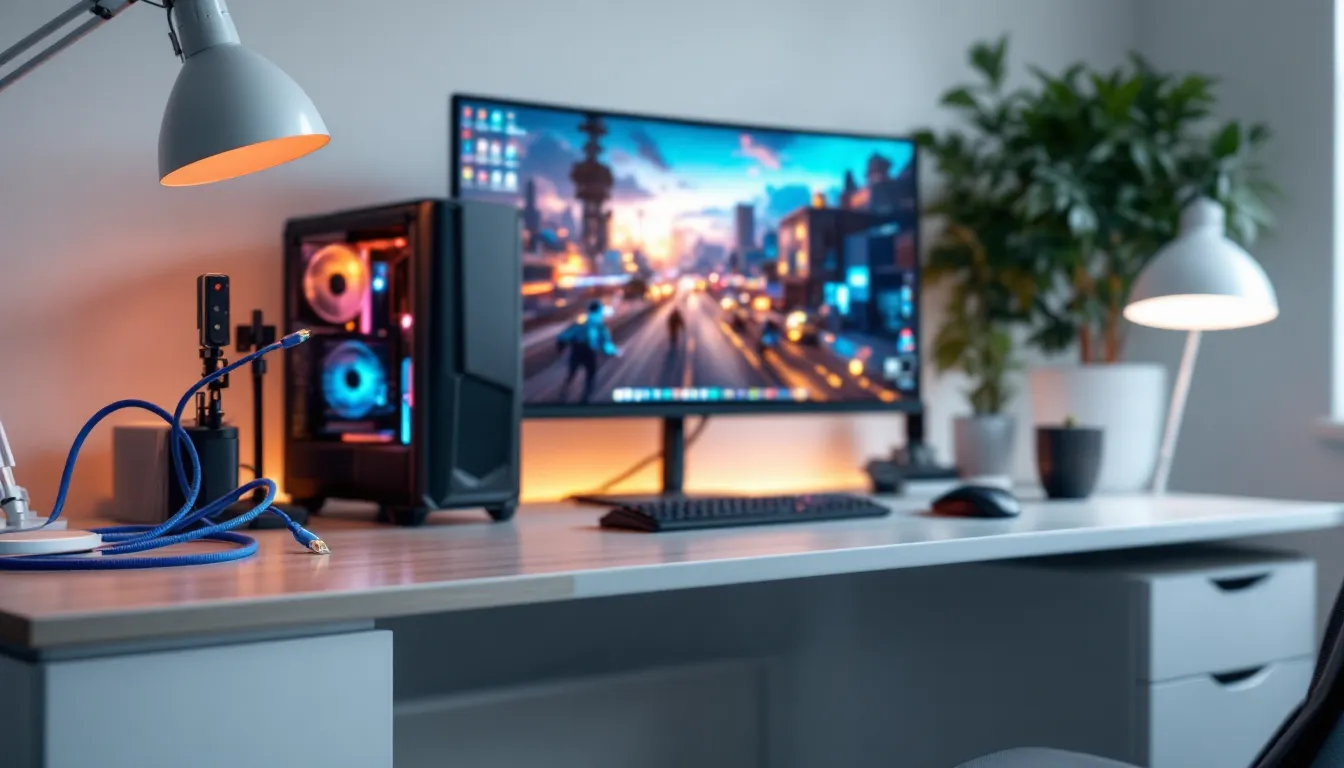
Whether you’re grinding ranked matches, streaming your gameplay, or just tired of rubber-banding in your favorite MMO, your internet connection matters. A lot. But here’s where most gamers get confused: they upgrade their router, max out their bandwidth, and still lag. The culprit? Often their ethernet cable. If you’re considering Cat6 for your gaming setup, you’re asking the right question. Cat6 has been the reliable middle ground for years, but in 2026, with fiber networks expanding, cloud gaming on the rise, and competitive games demanding sub-50ms latency, you need to know exactly what Cat6 can, and can’t, do for your specific setup. This guide breaks down Cat6 performance for gaming in real terms: actual speeds, latency impact, comparisons to alternatives, and when it’s genuinely worth the investment versus when you might be overpaying.
Table of Contents
ToggleKey Takeaways
- Cat6 supports consistent 1 Gbps speeds over typical home distances and is more than sufficient for gaming, which typically requires only 1-10 Mbps during active play.
- The primary advantage of Cat6 for gaming is connection stability and reliability rather than raw speed—a stable wired Cat6 connection eliminates WiFi latency spikes and packet loss that impact competitive performance.
- Cat6 cables are rated for up to 100 meters of reliable operation, with excellent performance maintained at distances up to 150 feet, making them suitable for most home gaming setups.
- For competitive gamers, streamers, and content creators, Cat6 is essential infrastructure; casual gamers with modern WiFi 6 routers can defer installation, though Cat6 remains a low-cost future-proofing investment.
- Cat6A is recommended for long cable runs over 100 feet or future-proofing beyond five years; Cat5e works in clean electrical environments but Cat6 offers better margin for error at minimal cost difference.
- Proper installation—routing cables away from power lines, using quality connectors, and avoiding sharp bends—is critical to realizing Cat6’s performance benefits for gaming.
Understanding Cat6 Cables and Gaming Performance
What Makes Cat6 Different From Other Ethernet Standards
Cat6 (Category 6) is an ethernet cable standard that came out around 2001, and it’s still the workhorse of gaming setups today. What separates it from earlier standards is mainly the twisted pair construction and overall cable engineering. Cat6 cables have tighter twists in their internal wire pairs compared to Cat5e, which reduces crosstalk, the electrical interference between cable pairs. This translates to more stable data transmission at higher frequencies.
The cable itself is also thicker and more rigid than Cat5e, with better shielding in many models. You’ll notice this when you unbox one: it feels more substantial, almost industrial. That’s intentional. The material quality and construction method directly impact how well the cable handles electromagnetic interference (EMI) in real-world environments.
One key distinction: there’s Cat6 and Cat6A (Augmented). Cat6A is a beefier version with even better shielding and tighter specifications, designed for longer runs and higher frequencies. For gaming specifically, standard Cat6 is usually sufficient unless you’re running extremely long cable distances (over 100 feet) or have a particularly noisy electrical environment.
Key Specifications That Matter For Gamers
Let’s talk numbers, because gamers deserve specifics. Cat6 is rated for up to 250 MHz of bandwidth, which allows it to support 1 Gbps (gigabit per second) transmission speeds reliably over distances up to 100 meters (about 328 feet). That’s the official spec.
But here’s what actually matters for your gaming: impedance stability and attenuation. Impedance is the cable’s resistance to electrical current flow, and Cat6 maintains strict impedance of 100 ohms (±15%). This consistency is what keeps your data clean. Attenuation is how much signal gets lost over distance, Cat6 spec limits it to 21.3 dB at 20°C at the highest Cat6 frequency. Lower attenuation means your signal stays stronger over longer runs.
For gamers, the practical takeaway: Cat6 maintains consistent 1 Gbps speeds over reasonable distances (under 100 feet) with minimal signal loss. If your gaming PC or console is 50-75 feet from your router, Cat6 will perform reliably. Beyond that, Cat6A becomes more advisable.
Another spec worth knowing: propagation delay, which affects latency. Cat6 has a propagation delay of approximately 4.56 nanoseconds per meter. This is negligible for gaming, we’re talking microseconds at typical home distances, but it’s worth understanding that the cable itself contributes virtually nothing to your ping time. Your ISP, router, and game server latency matter infinitely more than the cable type.
Speed and Bandwidth: Does Cat6 Cut It For Gaming?
Maximum Transfer Speeds and Real-World Performance
Cat6 supports 1 Gbps (1000 Mbps) of bandwidth, which is the standard for most residential and gaming networks in 2026. In real-world testing, you’ll see speeds between 940-999 Mbps on a properly installed Cat6 cable over typical home distances. That’s essentially full gigabit speeds with minimal overhead.
Now, is 1 Gbps enough for gaming? Absolutely. Most online games consume between 1-10 Mbps of bandwidth during active play. Even bandwidth-heavy scenarios like streaming 4K video while gaming uses maybe 30-50 Mbps total. You’ve got a 1000 Mbps pipe, you’re never going to saturate it with typical gaming activity.
Where Cat6 starts showing its value is when you’re doing multiple things simultaneously: streaming your gameplay to Twitch, downloading patches in the background, and hosting a Discord call. Cat6 handles all of that without breaking a sweat. The “future-proofing” argument for faster cables assumes you’ll eventually need multi-gigabit speeds at home, which most gamers won’t see for several years unless fiber internet becomes ubiquitous.
One caveat: Cat6 is rated for 1 Gbps up to 100 meters at the standard Cat6 frequencies. If you’re running a 150-foot cable run, or you’re pushing data near the cable’s maximum frequency, speeds can degrade. Most gamers won’t hit this scenario, but it’s worth knowing.
Bandwidth Requirements For Different Gaming Scenarios
Let’s break down what different gaming activities actually demand:
Competitive online multiplayer (Valorant, Call of Duty, Counter-Strike 2): 1-4 Mbps download, equally low upload. You’re sending tiny position and input packets. Cat6 is overkill here: even Cat5e would handle it.
Streaming gameplay to Twitch/YouTube while gaming: 6-8 Mbps if streaming at 1080p 60fps, plus 3-5 Mbps for the game itself. Total: roughly 10-12 Mbps. Still well within Cat6 capacity.
Playing cloud games like Xbox Cloud Gaming or GeForce Now: 35-50 Mbps for 4K, 10-25 Mbps for 1080p. Add a few Mbps for background apps. You’re still using a tiny fraction of Cat6’s available bandwidth.
Downloading AAA game patches: Modern games are massive (50-150 GB). On a 1 Gbps connection, you’re downloading at roughly 125 MB/s (megabytes per second), so a 100 GB patch takes about 13 minutes. Cat6 handles this flawlessly. Without Cat6 or better, you’re relying on WiFi, which introduces inconsistency and stutters during gameplay.
High-frame-rate streaming from content creators: The 0.01% of gamers streaming 4K 120fps need 25-35 Mbps for the stream alone. Cat6 manages this.
The honest assessment: bandwidth isn’t the limiting factor for gaming in 2026. What you need is consistency and low latency, not raw speed. That’s where Cat6 excels.
Latency, Jitter, and Connection Stability For Competitive Gaming
How Cat6 Handles Ping Times and Lag
Here’s the most important thing to understand: the ethernet cable itself does not determine your ping time. Your ping (measured in milliseconds) is determined by the distance to the game server, your ISP’s infrastructure, and your router’s processing. A Cat6 cable running from your PC to your router does virtually nothing to your in-game latency.
What Cat6 does provide is reliability. A wired connection via Cat6 is deterministic, data gets from your PC to the router and out to the internet without the unpredictability of WiFi. WiFi competes for spectrum, experiences interference from microwaves and cordless phones, and has inherent packet loss. Cat6 doesn’t.
If you’re playing on WiFi and getting inconsistent latency, spikes from 20ms to 80ms, switching to Cat6 won’t lower your average ping, but it will stabilize it. That flat, consistent latency is what competitive gamers need. A stable 55ms ping is better than an average 45ms with constant jitter.
For comparison: Cat5e delivers the same latency profile as Cat6 for most gamers. The real latency killer is WiFi instability, not ethernet cable type.
Shielding and EMI Protection in Cat6 Cables
Cat6’s internal shielding is where it earns its reputation for reliability. Unshielded Cat6 (UTP) has enough mutual shielding from the twisted pairs to handle most residential environments. Shielded Cat6 (STP) adds an extra foil or braid shield around the entire cable bundle, plus a drain wire.
Why does this matter for gaming? EMI (electromagnetic interference) from power lines, electric motors, fluorescent lights, and other electrical equipment can degrade signal quality. In a typical bedroom or office, this isn’t usually a problem. But if your cable runs parallel to power lines, or if you’ve got a gaming setup near heavy equipment, shielding makes a tangible difference.
Shielded Cat6 costs a bit more and requires grounded shielded connectors on both ends (RJ45S), but for serious gamers building a clean network, it’s worth the investment. You get fewer packet retransmissions and more stable throughput, which indirectly helps with connection stability.
Practical test: if you’re experiencing intermittent lag spikes that mysteriously worsen during certain times of day (when other electrical devices activate), shielded Cat6 or Cat6A is worth trying. For most gamers with clean electrical environments and short cable runs (under 50 feet), standard unshielded Cat6 performs identically to shielded variants.
Cat6 vs. Cat5e vs. Cat8: Which Cable Is Best For Your Gaming Setup?
Cat5e Performance Comparison
Cat5e, released in 2001, supports 1 Gbps just like Cat6. Wait, if they both support 1 Gbps, why does Cat6 exist?
The difference is in the reliability at that speed and the frequency headroom. Cat5e is rated to 100 MHz: Cat6 is rated to 250 MHz. This means Cat6 can sustain gigabit speeds with more margin for error, over longer distances, and with greater immunity to interference. Cat5e can technically do 1 Gbps, but it’s operating closer to its ceiling.
For gaming, here’s the honest comparison:
Cat5e: If your setup is clean (short cables under 60 feet, minimal electrical noise), Cat5e works fine for gaming. You’ll get stable 1 Gbps speeds. It’s cheaper, typically $0.15-0.30 per foot versus Cat6 at $0.25-0.50 per foot. If you’re on a strict budget and your infrastructure is straightforward, Cat5e isn’t a bad choice.
Cat6: Better margin for error, superior shielding in most commercial variants, and more reliable over longer runs (60-100+ feet). For most gamers building or upgrading a network, Cat6 is the smarter long-term choice. The cost difference is minimal, and you gain stability headroom.
The real-world takeaway: Cat5e isn’t obsolete for gaming, but Cat6 is the safer recommendation if you’re buying new cable.
Cat8 and Future-Proofing Your Gaming Network
Cat8 (released around 2016) supports 40 Gbps over short distances (30 meters) and is designed for data centers and enterprise networks. It’s rated to 2000 MHz. Cat8 cable is thicker, more rigid, more expensive ($0.80-$2.00+ per foot), and overkill for home gaming.
Unless you’re running multi-gigabit fiber internet (which is uncommon for residential gaming in 2026), or you’re building a next-generation local area network with 2.5/5/10 Gbps switches and servers, Cat8 is premature. It’s also worth noting: Cat8 requires Cat8-rated connectors and patch panels. Upgrading to Cat8 means replacing entire infrastructure, not just the cable.
For future-proofing: Cat6A strikes a better balance. It supports 10 Gbps over 55 meters and costs significantly less than Cat8 ($0.40-0.80 per foot). If you want breathing room for the next 5-10 years of gaming technology, Cat6A is the sweet spot. It’s common in modern server rooms and increasingly in high-end home networks.
The practical recommendation:
- On a budget, short distances: Cat5e works.
- Standard gaming setup: Cat6 is the best value.
- Long runs or future-proofing: Cat6A.
- Cat8: Skip it unless you have specific needs beyond gaming.
Distance and Cable Length Considerations For Gaming
Maximum Reliable Cable Lengths and Signal Degradation
Cat6 is rated for up to 100 meters (328 feet) of reliable operation at full gigabit speeds. But this is a conservative maximum. In practice, most gamers see excellent performance up to 150 feet, with degradation starting around 200+ feet.
Here’s what happens as cable length increases: signal attenuation rises. Attenuation is the weakening of your electrical signal as it travels through the cable. At Cat6’s maximum rated frequencies, attenuation increases logarithmically with distance. The good news: for gaming’s bandwidth requirements, you have a massive margin.
Practical reference: a 100-foot Cat6 cable run will deliver 999 Mbps speeds with minimal packet loss. A 150-foot run typically delivers 950-990 Mbps. Beyond 200 feet, you might see speeds drop to 800-900 Mbps, which is still more than adequate for gaming (remember, games use 1-10 Mbps).
The real issue with long cable runs isn’t speed degradation, it’s the infrastructure. Running a 200+ foot ethernet cable through your house, attic, or conduit is a project. You’ll need wall plates, conduit, careful routing away from power lines, and possibly professional installation.
For most gamers, a 50-100 foot run is typical and poses zero challenges for Cat6. Even a 150-foot run (from a basement router to an upstairs gaming PC) works reliably. Beyond that, consider Cat6A, which maintains better signal integrity over longer distances.
One more consideration: cable quality matters. A poorly manufactured Cat6 cable from an unknown brand might start showing issues at 80 feet. Quality brands like Monoprice, Tripp Lite, and Belkin engineer their cables to spec. Don’t cheap out on cable: the difference between a $15 and $30 100-foot Cat6 run is noticeable in reliability, especially over longer distances.
Gaming Scenarios Where Cat6 Truly Shines
Competitive Online Multiplayer and Esports
This is Cat6’s primary use case. Competitive games, Valorant, Counter-Strike 2, League of Legends, Overwatch 2, demand two things: low, stable latency and zero packet loss. Cat6 delivers both.
When you’re ranked grinding or competing in esports tournaments, WiFi is a liability. WiFi interference can cause the 2-3ms latency spikes that cost you a round. A wired Cat6 connection eliminates this variability. Your latency will be flat and consistent, which is more valuable than a slightly lower average ping.
Also, competitive games can be sensitive to packet loss. If you lose even 1% of packets, your character’s position updates become unreliable. Cat6 ensures near-zero packet loss (below 0.01%) in clean installations. WiFi, especially on 2.4 GHz bands or in congested environments, can exceed 1% packet loss during peak times.
If you’re serious about competitive gaming, even casually, Cat6 is non-negotiable. It’s the infrastructure that separates “stable performance” from “sometimes I rubber-band for no reason.”
Streaming and Content Creation From Your Gaming PC
If you’re streaming your gameplay, Cat6 becomes critically important for upload stability. While most ISPs provide asymmetrical bandwidth (high download, lower upload), a wired connection ensures your upload stream doesn’t compete with WiFi packet loss or interference.
Streaming to Twitch at 1080p 60fps requires 6-8 Mbps sustained upload. On WiFi, you might get 30 Mbps peak speed but only 15 Mbps sustained due to interference and retransmissions. On Cat6, you get consistent 30+ Mbps upload (if your ISP supports it), allowing you to stream at your maximum quality setting without bitrate drops or buffering.
Content creators also benefit from dual-cable setups: one Cat6 connection to a gaming PC (for gameplay), another to a streaming server or capture card. Cat6’s reliability enables this without bottlenecks. Streaming while gaming is one of the few scenarios where you genuinely feel Cat6’s difference versus WiFi.
Console Gaming and Local Network Performance
PS5, Xbox Series X, and Switch all benefit from wired connections. While modern consoles have solid WiFi chipsets, a Cat6 connection provides:
- Faster game downloads: A 100 GB PS5 game on WiFi might take 2 hours: on Cat6, it’s 15 minutes.
- Stable online play: Network-heavy games like Destiny 2, Call of Duty, or Fortnite play smoother on wired connections.
- Better party chat quality: If you’re in Discord or party chat while gaming, wired ethernet reduces latency to voice servers.
Consoles rarely need the full 1 Gbps Cat6 provides, but the infrastructure allows for faster, more reliable performance across the board. If you’re building a gaming-focused home network, running Cat6 to your console location is a worthwhile addition.
When Cat6 Might Not Be The Best Choice
Casual Gaming and Wireless Alternatives
If you’re playing single-player games, turn-based strategy games, or casual mobile gaming, Cat6 is overkill. Your connection demands are minimal, and the infrastructure investment isn’t justified.
For casual gamers playing offline-first games (Stardew Valley, Elden Ring, Baldur’s Gate 3), ethernet doesn’t matter. For casual online games with forgiving netcode (Minecraft, Animal Crossing, Splatoon 3), a decent WiFi 6 or WiFi 6E connection is sufficient.
Modern WiFi standards have improved significantly. WiFi 6 (802.11ax) can deliver 600+ Mbps in real-world conditions with minimal latency. If your router is positioned well and you’re within 30 feet, WiFi 6 gaming performance is indistinguishable from Cat6 for casual play.
But, even casual gamers building a new network should install Cat6 anyway. The cable cost is negligible compared to your PC or console investment. Future you might want to stream, get competitive, or discover a bandwidth-heavy game. Cat6 future-proofs casual setups without breaking the budget.
Budget Limitations and Cost-Benefit Analysis
Cat6 isn’t free. A quality 100-foot Cat6 cable costs $20-40. Professional installation (if running through walls) adds $100-500. If you’re building a gaming setup on an ultra-tight budget, say, under $300 total, Cat6 installation might get deferred.
In this scenario, priorities are: GPU/processor for the gaming PC or console itself, a decent monitor, and a decent WiFi router. Cat6 comes fourth. Your money is better spent improving the fundamental hardware.
But here’s the nuance: a cheap Cat6 cable ($10-15 for 25 feet) should be in your budget even on tight finances. Running Cat6 from your router to your PC (even just 20-30 feet) costs almost nothing and improves latency stability significantly. Full-house infrastructure can wait until your next upgrade cycle.
The cost-benefit analysis shifts if you’re already investing in a good router and gaming PC. In that case, failing to add Cat6 is like buying a sports car without a transmission, your expensive hardware isn’t reaching its potential.
Installation and Setup Tips For Optimal Gaming Performance
Proper Cable Routing and Avoiding Interference
Once you’ve bought your Cat6 cable, installation matters. Poor routing can introduce interference and negate Cat6’s advantages.
Best practices:
- Route away from power lines. Parallel runs next to AC power cables induce EMI. Keep Cat6 at least 12 inches away from power lines, or use shielded Cat6 if proximity is unavoidable.
- Avoid tight bends. Cat6 can technically bend to a 4-inch radius, but sharp kinks damage the internal structure. Use cable clips and cable management ducts: let it curve naturally.
- Don’t run through conduit with power cables. If using conduit, dedicate separate conduit for ethernet versus electrical.
- Use quality connectors. Cat6 is only as good as its RJ45 connectors. Cheap connectors introduce intermittent failures. Invest in gold-plated Cat6 connectors or use pre-terminated cables from reputable manufacturers.
- Avoid high-heat areas. Cables near radiators, HVAC ducts, or sunlit windows degrade over time. Room-temperature routing extends cable life.
For wall runs, in-wall rated Cat6 (CMR or CMP) is required by electrical code in most jurisdictions. CMR (Communications Plenum-Rated) is fire-retardant and safe for walls. Standard Cat6 isn’t, it can spread flame if there’s a fire.
When running cables through walls or ceilings, consider hiring a professional. The cost ($200-400 for a single home run) is worth it to avoid damaging existing wiring, insulation, or infrastructure. Plus, a pro installs proper grounding for shielded variants.
Testing Your Cat6 Connection and Troubleshooting Common Issues
After installation, verify your setup is working. Here’s how:
Speed testing:
Use Speedtest by Ookla or Fast.com to check your connection. You should see speeds within 95% of your ISP plan (e.g., if you’re paying for 300 Mbps, aim for 285+ Mbps). If you’re seeing under 50% of your plan speed, there’s an issue.
Latency and packet loss:
Open Command Prompt (Windows) or Terminal (Mac) and ping a stable server: ping 8.8.8.8 -c 100 (Mac) or ping 8.8.8.8 -n 100 (Windows). Look for packet loss (should be 0%) and latency variance (should be under 2ms between min and max). High variance indicates instability.
Physical inspection:
Check connectors for bent pins or corrosion. If a Cat6 cable has been bent sharply, test it before routing permanently. Some cheap cables show visible damage on the outer sheath but still function, they’re just candidates for failure down the line.
Common issues and fixes:
- Intermittent disconnects: Usually a bad connector, not the cable. Replace the RJ45 connector or use a different pre-terminated cable segment to isolate the issue.
- Slower than expected speeds: Ensure your router and gaming PC both support gigabit ethernet. Some older devices cap at 100 Mbps. Check Device Manager (Windows) or System Report (Mac) for the ethernet adapter speed.
- High latency spikes in games: Rule out the cable with a speed test. If speeds are stable but game latency spikes, the issue is your ISP, router, or game server, not the Cat6.
- Crosstalk in long runs: Over 150 feet, unshielded Cat6 might pick up noise. Switch to shielded Cat6A or shorter runs via a secondary router/switch.
A quick hardware check: most gaming routers and PCs come with diagnostic tools. Use PCMag’s network troubleshooting guide for detailed diagnostics. For streaming setups, TechRadar’s gaming network guides offer similar depth. If problems persist, How-To Geek’s ethernet troubleshooting walkthrough provides step-by-step isolation techniques.
Conclusion
Cat6 is absolutely good for gaming in 2026. It’s reliable, affordable, future-proofed for most home gaming scenarios, and delivers consistent performance where it matters: stability and latency. For competitive gamers, streamers, and serious hobbyists, it’s the foundational piece of infrastructure that makes everything else work.
The key takeaway: Cat6 isn’t about raw speed, 1 Gbps is more than enough for gaming. It’s about consistency. A stable wired connection eliminates the latency variance, packet loss, and interference that plague WiFi, even good WiFi. For ranked competitive play, content creation, or any situation where network reliability impacts enjoyment, Cat6 is the difference between “stable” and “frustrating.”
If you’re building a gaming setup or upgrading your network, Cat6 is the smart choice over Cat5e. If you’re balancing budget constraints, at minimum run a short Cat6 cable from your router to your primary gaming device. The cost is trivial: the benefit is real.
Cat6A makes sense if you’re planning for multi-gigabit fiber or very long cable runs. Cat8 is premature for home gaming. And if your setup is casual gaming with decent WiFi, you can defer Cat6 without regrets, though you’re still leaving some stability on the table.

