
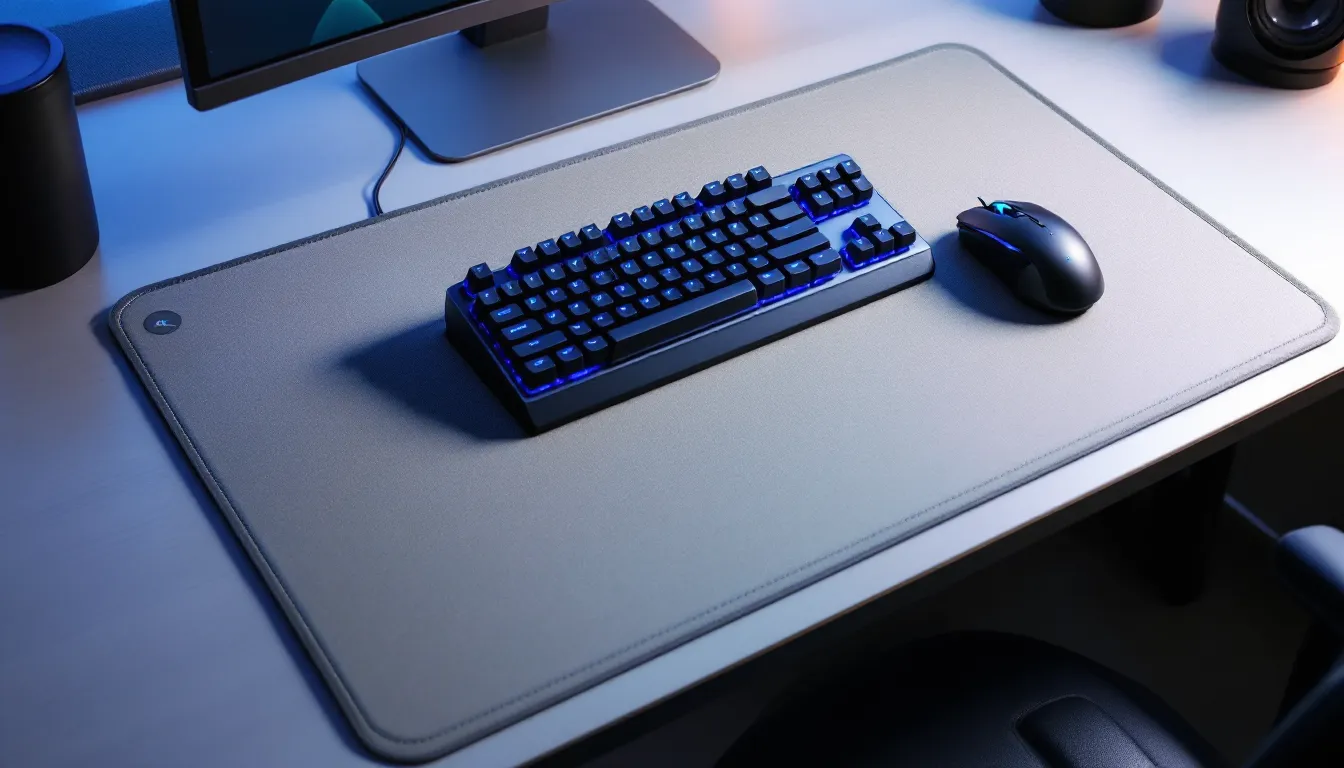
Your desk setup is your battle station, and every advantage matters, especially when you’re grinding ranked matches or speedrunning for personal records. One piece of gear that separates casual players from serious competitors is often overlooked: a quality gaming mat. Whether you’re pulling all-nighters in Valorant, managing complex strategy in an MMO, or just want your desk to feel less like a workplace and more like an arena, the right gaming mat transforms both your performance and your workspace. This guide walks you through everything you need to know about choosing, setting up, and maintaining a gaming mat that actually earns its place on your desk in 2026.
Table of Contents
ToggleKey Takeaways
- A quality gaming mat for desk is engineered for precision and consistency, featuring stitched edges, non-slip bases, and optimized cloth or hard surfaces that outperform standard desk pads in durability and performance.
- Choose a gaming mat size based on your play style: extended mats (36-48 inches) for competitive FPS players needing low-sensitivity space, organizer mats for MMO comfort and cable management, and RGB mats for aesthetic appeal.
- Surface material is critical—cloth mats offer balanced stopping power and glide for 99% of gamers, while hard mats maximize speed for professional FPS competitors and arcade stick players.
- Proper desk positioning with your keyboard centered and mouse having 8-12 inches of clear space, paired with a non-slip base and compatible mouse feet, ensures optimal ergonomics and performance.
- Maintenance through regular gentle cleaning, rotating the mat to prevent uneven wear, and protecting against liquids and direct sunlight extends lifespan to 2-3 years, delivering genuine long-term value over budget alternatives.
What Is A Gaming Mat And Why Your Setup Needs One
A gaming mat is a specialized surface designed to optimize mouse movement, keyboard comfort, and overall desk organization, but it’s way more than a fancy desk pad. Unlike your standard office mousepad, gaming mats are engineered with precision in mind, featuring optimized cloth or hard surfaces that provide consistent glide and control across thousands of hours of play.
Most gaming mats span from 24 to 48 inches wide, covering your mouse area, keyboard, and sometimes your entire desk surface. They’re built to handle the wear and tear of intense gameplay: rapid mouse flicks, sustained pressure, and daily movement that would shred a cheap pad in weeks.
The Difference Between Gaming Mats And Standard Desk Pads
Standard desk pads prioritize aesthetics and basic protection. They’re thin, often slip around, and offer minimal optimization for gaming. A gaming mat, by contrast, is engineered for performance.
Here’s what sets them apart:
- Surface consistency: Gaming mats maintain uniform texture across their entire surface, ensuring your mouse behaves the same way in the top-left corner as the bottom-right. Standard pads degrade unevenly.
- Edge reinforcement: Gaming mats feature stitched or reinforced edges that resist fraying and curling after months of use. Budget desk pads start peeling within weeks.
- Non-slip base: Quality gaming mats use rubberized or silicone bottoms that lock your mat in place during intense gameplay. Standard pads slide around your desk constantly.
- Thickness and density: Gaming mats (typically 3-5mm) provide enough cushioning to reduce hand fatigue without sacrificing responsiveness. Most desk pads are flimsy paper-thin alternatives.
Key Benefits For Serious Gamers
The benefits of a proper gaming mat extend far beyond aesthetics. Here’s what you’re actually getting when you invest in one:
Precision and consistency are non-negotiable in competitive play. A gaming mat ensures your mouse movement feels identical during a crucial 1v5 clutch and during a casual warm-up. No surprises, no unexpected drag variations that cost you kills.
Ergonomic support matters on those 6-hour ranked grind sessions. A quality mat keeps your wrist, arm, and keyboard in a comfortable position, reducing strain and keeping your hands fresh for peak performance. Wrist rests integrated into many mats add even more comfort during extended play.
Desk organization becomes a real feature when your mat includes cable channels or designated zones for peripherals. You’re not just gaming, you’re operating from an intentional, organized space that minimizes distractions and keeps your setup professional.
Durability translates to long-term value. A $100 mat lasting three years costs less per month than replacing $30 pads every few months. Gaming mats are built to take punishment.
Types Of Gaming Mats: Finding Your Perfect Fit
Gaming mats come in several distinct flavors, each optimized for different play styles and desk setups. Understanding these categories helps you narrow down what actually works for your specific needs.
Extended Mouse Pads And Large Surface Mats
Extended mats are the workhorse of gaming setups. They’re long (typically 30-48 inches wide) and moderately deep (10-14 inches), giving your mouse plenty of real estate to move without the constant stopping-and-lifting that plagues smaller pads.
These mats solve a fundamental problem: low-sensitivity gamers in competitive FPS titles need space. A player using 400 DPI and 1.2 sensitivity in Valorant might need 20+ inches of horizontal mouse movement for a full screen pan. An extended mat makes this natural and fluid instead of awkward.
The trade-off is real estate, they consume significant desk space. If you’re working with a compact 48-inch desk, a 40-inch mat leaves almost nothing for peripherals. But for dedicated gaming setups (especially two-monitor+ workstations), the extra surface area is worth every inch.
Popular sizes:
- 30″ x 12″ (tight but functional)
- 36″ x 12″ (sweet spot for most gamers)
- 48″ x 14″ (max coverage for larger desks)
Desk Organizer Mats With Cable Management
These mats prioritize organization alongside gaming performance. They feature integrated cable channels, designated zones for keyboard/mouse/peripherals, and sometimes built-in cable clips and organizers.
Think of them as gaming mats designed by someone who’s tired of their desk looking like a server room. They’re perfect for streamers, content creators, or anyone who films their setup. The cable management keeps everything tidy and actually improves airflow around your peripherals.
The downside: these mats tend to be stiffer (more plastic, less soft cloth), and the organizational features take up valuable mouse real estate. You’re trading some gaming surface for cable routing, which is the right call if aesthetics and organization matter to you.
RGB Gaming Mats And Illuminated Options
RGB gaming mats come with built-in LED lighting that syncs with your keyboard, headset, and case lighting. They’re purely aesthetic, the lighting adds zero performance value, but they deliver on the “gaming atmosphere” front.
These mats require USB power (usually plugged into a rear motherboard header or a wall outlet), and the best ones integrate with software like Corsair iCUE, Razer Synapse, or Asus Aura, matching your entire setup’s lighting profile.
Important caveat: RGB mats are typically more expensive ($80-150+), add cable clutter, and can overheat in poorly ventilated setups. They’re cool as hell if you stream or record, but if you’re prioritizing pure performance and value, standard mats offer better bang-for-buck.
Essential Features To Consider Before Buying
Not all gaming mats are created equal. Knowing which features matter, and which are just marketing noise, saves you from costly mistakes.
Surface Material And Mouse Compatibility
The surface material determines how your mouse performs, and it’s the single most important spec when choosing a mat.
Cloth mats (polyester/microfiber blends) are the default for most competitive gamers. They offer:
- Balanced stopping power and glide (crucial for controlled aim)
- Forgiving surface if your mouse has inconsistent feet (slight imperfections don’t throw off tracking)
- Natural wear-in process (they actually improve slightly over the first month as fibers align)
- Easy maintenance (quick wipe-down with a damp cloth)
Best for: 99% of gamers. If you’re not sure what you want, cloth is the answer.
Hard mats (aluminum, plastic, glass, or resin) are chosen for speed. They offer:
- Maximum glide with minimal stopping power (great for low-sensitivity flick shooters)
- Consistent surface that never degrades (perfect for CSGO pros who need identical conditions daily)
- Rigid base that prevents flex (useful for arcade stick players or mechanical keyboard enthusiasts)
- Overkill noise (your mouse will sound loud, which some find distracting)
Best for: Hardcore competitive FPS players, arcade stick users, or gamers with high-end glass mouse feet.
Hybrid mats blend cloth and hard surfaces, soft wrist rest with hard center playing area. They’re compromises that work well if you value comfort alongside performance.
Note your mouse feet type: standard PTFE (Teflon) feet work universally, but premium glass or ceramic feet are optimized for hard surfaces and may feel sticky on cloth. Budget mats often use cheap plastic feet that’ll catch constantly on cloth. Upgrade your mouse feet if you’re using a quality mat with a budget mouse.
Size And Desk Space Requirements
Size seems straightforward but it’s easy to misjudge. Measure your desk carefully before ordering.
Key dimensions to measure:
- Desk width (side-to-side usable surface)
- Keyboard width (most boards range 12-17 inches)
- Mouse movement clearance (you want at least 6-8 inches to the left of your keyboard)
- Monitor stand depth (mat can’t extend past the back of your desk, or it’ll bunch up)
A solid rule: order a mat that’s about 2-3 inches narrower than your desk width. This prevents edge overhang that catches on the desk during movement.
Depth (front-to-back) guidance:
- 10-12 inches: Minimal desk footprint, tight wrist positioning
- 12-14 inches: Sweet spot for most ergonomics
- 14+ inches: Maximum wrist support and keyboard space, eats significantly into desk real estate
If you’re unsure, 36″ x 12″ is the “one size fits most gamers” size. It handles mouse space, keyboard area, and peripherals without dominating your desk.
Durability, Edge Reinforcement, And Build Quality
A mat you’ll use for years needs actual engineering, not cheaply glued construction.
Stitched edges are the gold standard. They prevent fraying and curling over months of heavy use. Heat-sealed edges are acceptable but will eventually fray. Unfinished edges? That’s a budget mat that’ll fall apart.
Non-slip base should use rubber or silicone. Test it by lifting the mat slightly on your desk, if it moves easily, it’ll slide during intense gameplay. Quality mats stay locked in position even during aggressive mouse movements.
Thickness tolerance matters. Mats vary from 2mm to 5mm. Thinner (2-3mm) mats are responsive but offer less wrist padding. Thicker (4-5mm) mats are comfier but can feel spongy, slightly reducing precision. Most competitive gamers settle on 3-4mm as the sweet spot.
Material quality is revealed in the smell test (literally). New mats have a smell, if it’s overwhelming chemical odor, it’s lower-quality rubber. Fading and color consistency on the mat surface should be uniform: blotchy patterns indicate inconsistent manufacturing.
Check reviews specifically for durability reports. If people are saying a mat warps or loses its grip after 6 months, skip it. Serious gamers share their experiences, and quality mats consistently receive praise for 2-3 year longevity.
How Gaming Mats Enhance Your Performance
Here’s the thing: a mat won’t make you a better player, but it removes friction (both literal and metaphorical) that’s holding you back. Let’s break down the actual performance gains.
Precision And Consistency In Competitive Gaming
Consistency is what separates 3000 MMR players from 5000 MMR players. One player flicks to the same angle differently every time because their mousepad surface varies: the other’s mat is so consistent they could do it blindfolded.
A quality gaming mat ensures:
- Identical mouse response every single session. Your muscle memory builds on a foundation that doesn’t shift.
- No surface surprises during high-stakes moments. You’re not thinking about whether your mouse will stick or glide, it just works.
- Sens-consistency across your entire mat. Unlike cheap pads where the edges feel different from the center, quality mats behave uniformly.
This matters most in precision-demanding games:
FPS titles (Valorant, CS2, Overwatch 2) where your crosshair placement and flick accuracy can mean rounds. A 5% improvement in consistency across a season adds up to significant rank progression.
Fighting games where frame-perfect inputs on arcade sticks depend on a non-moving surface. A mat sliding around during combos costs rounds.
Professional players obsess over their mat choice for this reason. Pro player settings and gaming gear are meticulously documented, and the mat choice is never an afterthought, it’s a deliberate decision based on DPI, sensitivity, and play style.
Ergonomics And Comfort During Extended Sessions
You can’t perform at your peak if your wrist, arm, or shoulder is screaming after 2 hours. Comfort directly impacts how long you can maintain focus and mechanical precision.
Quality mats offer:
- Wrist padding that reduces strain during sustained mouse usage. Your wrist isn’t collapsing into a hard desk surface: it’s supported.
- Forearm support if the mat depth extends far enough. Your forearm stays aligned with your mouse hand, reducing awkward angles.
- Keyboard elevation (for mats that include subtle height variation) that keeps your wrists neutral during typing and gaming.
- Pressure distribution that prevents the pinpoint pressure problems that come from resting your wrist on a thin pad or bare desk.
In marathon sessions (tournament prep, streaming, late-night ranked grinds), this comfort is the difference between playing sharp for 8 hours and degrading after hour 3.
Ergonomic injuries accumulate. Repetitive strain injury (RSI) and wrist pain can sideline gamers for weeks. A proper mat, combined with good desk height and monitor positioning, prevents these issues before they start.
Gaming Mats For Different Gaming Genres
Different games reward different mat characteristics. What’s optimal for a fighting game isn’t ideal for an MMO.
FPS And Competitive Online Games
Competitive FPS players (Valorant, CS2, Overwatch 2, Apex Legends) need mats optimized for speed and precision.
Ideal mat characteristics:
- Extended size (36-40 inches) for low-sensitivity players
- Cloth surface with balanced glide for consistent flick aim
- 3-4mm thickness (responsive without being thin)
- Stitched edges (fraying is unacceptable at this skill level)
FPS players are the most demanding mat users. They move their mice rapidly, repeatedly, and with intensity. A mat must handle thousands of quick movements daily without degrading.
The sensitivity question matters hugely. Low-sens players (1.0-1.5 in Valorant) need extended mats because a full screen pan can require 18+ inches of mouse movement. High-sens players (2.0+) can get away with smaller mats but sacrifice some control. The consensus among pros: more mat real estate is always better, even if it feels unnecessary.
MMOs And Strategy Games
MMO and strategy players have completely different demands. World of Warcraft, Final Fantasy XIV, StarCraft II, and other complex games reward comfort, organization, and peripheral accessibility over pure speed.
Ideal mat characteristics:
- Organizer mats with cable management and designated zones
- Moderate size (32-36 inches) that balances mouse space and desk organization
- Soft wrist support (comfort over hours of playing)
- Keyboard integration (keeping your board at optimal height)
These games don’t demand the lightning-quick flick accuracy of FPS titles. Instead, they demand sustained accuracy, comfortable keybind reaches, and minimal distractions. A cable management mat keeps your setup clean and lets you focus on gameplay.
Many MMO raiders upgrade their setup specifically for raid nights, where comfort and focus across 2-3 hour sessions are critical. Wrist rest padding becomes genuinely important.
Console And Retro Gaming Setups
Console gamers using arcade sticks, fight sticks, or pad setups need different considerations.
Arcade stick players benefit from hard mat surfaces that prevent stick sliding. A stick dragging across your desk during a quarter-circle-forward motion loses inputs. Hard mats or even glass surfaces lock the stick in place.
Retro gaming setups (Nintendo 64 with custom controllers, original arcade cabinets) benefit from smaller, more specialized mats that fit the aesthetic. A vintage-looking mat complements the retro vibe while still providing surface consistency.
Console pad players don’t necessarily need extended mats, a standard 27″ x 12″ mat provides enough mouse space for couch gaming setups with keyboard macro layers.
Console setups are often secondary gaming stations, so aesthetic matching (mat color with your controller or console) matters more than pure performance optimization.
Maintenance And Care Tips For Longevity
A $100 mat only delivers value if you actually keep it in good condition for years. Proper maintenance extends lifespan and maintains performance.
Cleaning Methods For Different Mat Materials
Cloth mats:
- Weekly: Light brush with a soft brush to remove dust and debris
- Monthly: Damp cloth with warm water and mild soap (dish soap works fine). Wring out the cloth so it’s barely moist, don’t soak the mat
- Avoid: Machine washing, bleach, harsh chemicals, or heat drying
- Air dry completely (2-4 hours) before returning to your desk
Hard surface mats:
- Weekly: Isopropyl alcohol on a microfiber cloth. This cuts through oils and residue without damaging the surface
- Monthly: Gentle soap and water if there’s visible buildup
- Avoid: Abrasive scrubbing pads (they’ll scratch the surface), pressure washers, or acetone
- Dry immediately with a microfiber cloth to prevent water spots
Hybrid mats:
- Treat the cloth section like a cloth mat, the hard section like a hard mat
- Be careful around the seam, don’t let excess water pool there
Cable and organizer mats:
- Clean cable channels monthly with a dry brush to prevent dust buildup
- Don’t use liquids near cable management areas
Washing too aggressively destroys mats. Pad manufacturers don’t recommend washing at all (they want you to buy new mats), but reasonable light maintenance keeps them fresh. Think maintenance, not restoration.
Preventing Wear And Maximizing Mat Lifespan
Beyond cleaning, several practices extend mat life dramatically.
Rotating your mat prevents uneven wear patterns. If you always keep your mouse on the right side, that area will thin faster. Occasionally flip or rotate your mat 180 degrees to distribute wear evenly. This works for cloth mats especially.
Protecting the mat surface from unnecessary friction: use a mouse with quality feet. Cheap plastic feet create more friction, degrade faster, and damage the mat surface. Investing in a mouse with PTFE (Teflon) or glass feet reduces wear on your mat.
Preventing liquids is obvious but critical. A single spill can permanently stain or degrade a mat. Keep drinks away or use spill-resistant containers. If you do spill, blot immediately (don’t rub) and let it air dry completely.
Avoiding direct sunlight prevents color fading, especially on darker mats. If your desk is near a window, consider positioning the mat away from direct rays or using a desk lamp instead.
Temperature control matters for mats with rubber bases. Extreme heat (near heaters or in direct sun) can warp the rubber, causing it to curve or lose grip. Keep mats in climate-controlled spaces.
Storage if you’re taking a mat off your desk (traveling, swapping setups): roll it loosely (don’t fold or crease), store in a cool dry place, and avoid placing heavy objects on top. Creases or compression for months can be permanent.
With proper care, quality mats last 2-3 years of daily use before needing replacement. That’s genuine long-term value that budget mats simply don’t deliver.
Setting Up Your Gaming Mat For Optimal Performance
You’ve got your mat. Now make sure it’s actually working for you instead of against you.
Desk Layout And Positioning Best Practices
Placement matters more than most gamers realize.
Front-to-back positioning:
- Position the mat so your keyboard sits roughly in the center or slightly back on the mat
- Your mouse should have 8-12 inches of clear space in front of the keyboard
- The mat shouldn’t extend past the front of your desk (it’ll flip up when you rest your wrist)
Left-to-right positioning:
- Center the mat if you’re right-handed and mouse on the right, left-handed with mouse on the left
- Leave 2-3 inches on each side for cable access and peripheral room
- Your monitor should sit at the center of the mat or slightly forward (don’t offset to accommodate the mat)
Height alignment:
- Your desk height should put your elbows at roughly 90 degrees when sitting with arms relaxed
- The mat surface should be flush with your desk, no gaps or lips that catch your hand during movement
- If your desk is adjustable, the mat should stay in place as you adjust height
Setup tutorials can provide visual references if you’re unsure about ergonomic positioning.
Non-slip base activation:
- Some mats require the rubber base to “settle” for 24 hours after unboxing before they grip properly
- If your mat slides, wipe the bottom clean (dust prevents grip), ensure your desk surface is dry, and try again
- Extreme heat or cold can temporarily affect grip, let the mat acclimate to room temperature
Pairing Your Mat With Other Gaming Peripherals
Your mat doesn’t work in isolation. Integration with your other gear matters.
Mouse compatibility:
- Test your current mouse on the mat immediately. Does it feel sticky, too slippery, or just right?
- If the feel is off, your mouse feet might be the problem. Gaming hardware reviews often rate mice with specific foot types, helping you make upgrade decisions
- Newer mice (especially gaming-focused ones) come with PTFE feet optimized for standard cloth mats, no adjustment needed
- Older budget mice or office mice might need a foot replacement for optimal glide
Keyboard positioning:
- If your keyboard extends onto the mat, make sure it’s centered and won’t shift
- Mechanical keyboards with metal plates can occasionally slip on cloth mats, a small rubber pad under the keyboard prevents this
- Leave enough mat space that your keyboard doesn’t dominate the mousing area
Monitor positioning:
- Your monitor doesn’t need to sit on the mat, but it should align with the mat’s center
- If your monitor is off-center, you’ll naturally angle your body, reducing ergonomics
Peripheral cable management:
- Use the mat’s cable channels if available
- Route cables to the back or side to prevent them from snagging your mouse movement
- Secured cables reduce the micro-distractions that break focus during important moments
Lighting integration:
- If using an RGB mat, keep the power cable routed cleanly (usually to a rear PC port or wall outlet)
- Sync it with your keyboard and headset lighting for a cohesive setup aesthetic
- Don’t let the cable become a mouse movement obstacle
Your mat is part of an ecosystem. Every piece, mouse, keyboard, monitor, lighting, should feel intentional and integrated, not like random peripherals scattered across your desk.
Conclusion
A gaming mat isn’t a luxury accessory, it’s a foundational piece of your setup that influences comfort, performance, and how long your equipment actually lasts. Whether you’re climbing the competitive ladder in Valorant, managing complex raids in your favorite MMO, or just want a desk that feels intentional and organized, the right mat removes friction and lets you focus on what matters: playing well.
The 2026 gaming mat market offers options for every budget, playstyle, and desk configuration. Start with your priorities: Are you chasing competitive FPS performance? Comfort for marathon MMO sessions? Aesthetic organization for streaming? Your answer determines whether you need an extended cloth mat for flick precision, a cable-managed organizer mat for accessibility, or an RGB-lit statement piece.
Measure your desk, understand your play style, invest in quality materials and edge reinforcement, and commit to basic maintenance. Do those things, and your mat will deliver 2-3 years of consistent performance. Skip those steps, and you’ll be replacing a fraying, slipping mat every six months.
Your setup reflects your commitment to gaming. Make it intentional.

